108
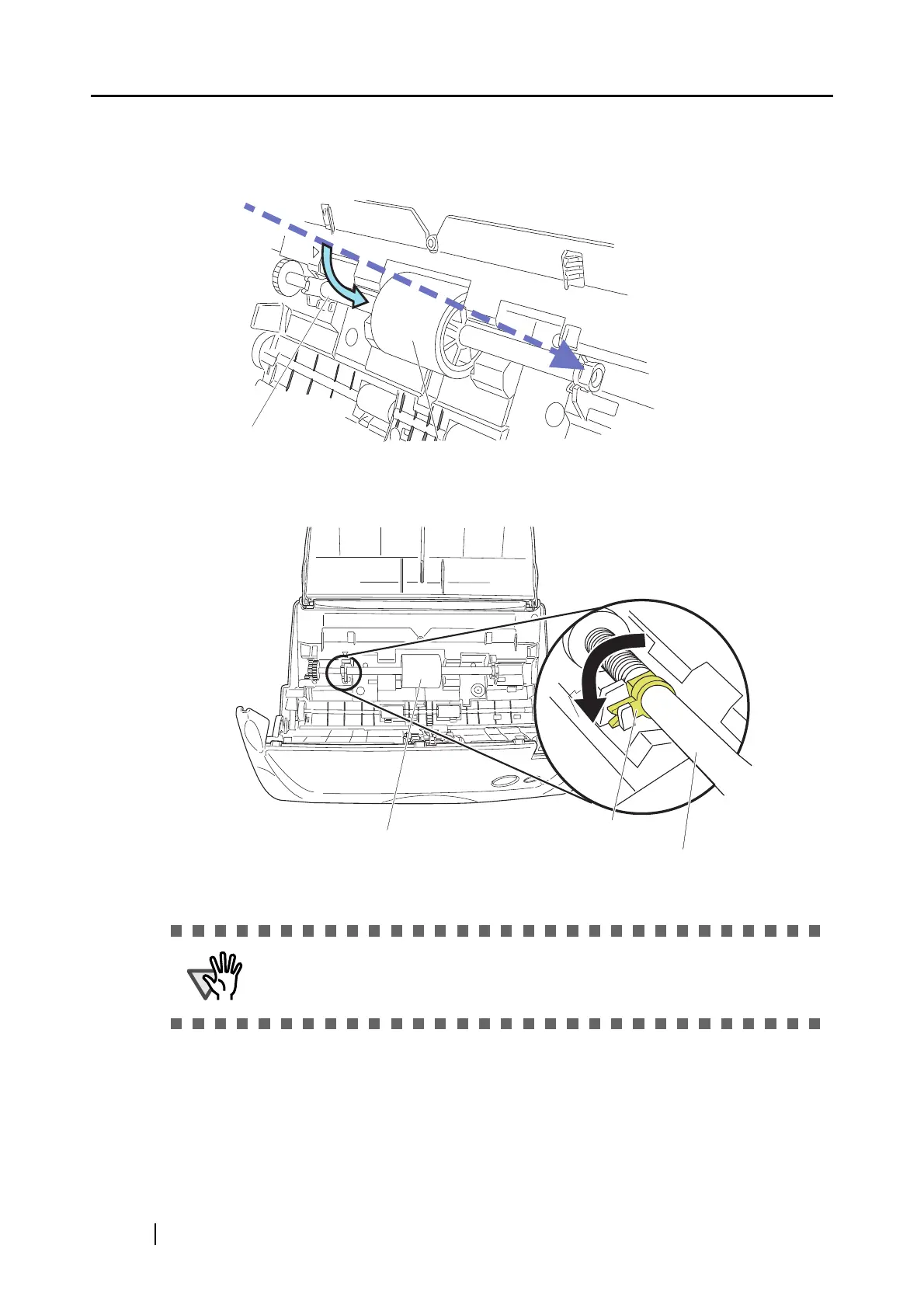
8. Install the pick roller with it’s shaft to the scanner.
Insert the right end of the shaft to the roller bushing (right), and set the shaft to the slot while
lowering it.
9. Rotate the roller bushing (left) by rotating it in the direction of the arrow.
Make sure that the Pick roller is completely attached. Otherwise, document
jams or other feeding errors may occur.
Pick roller
Pick roller shaft
Pick roller
Pick roller shaft
Pick roller bushing



 To Next Page
 Loading...











