Working with the Tablet PC
Switching on the Tablet PC
TabletPC:switchingonPower-onindicatorSusp end/Resumebu tton
1
2
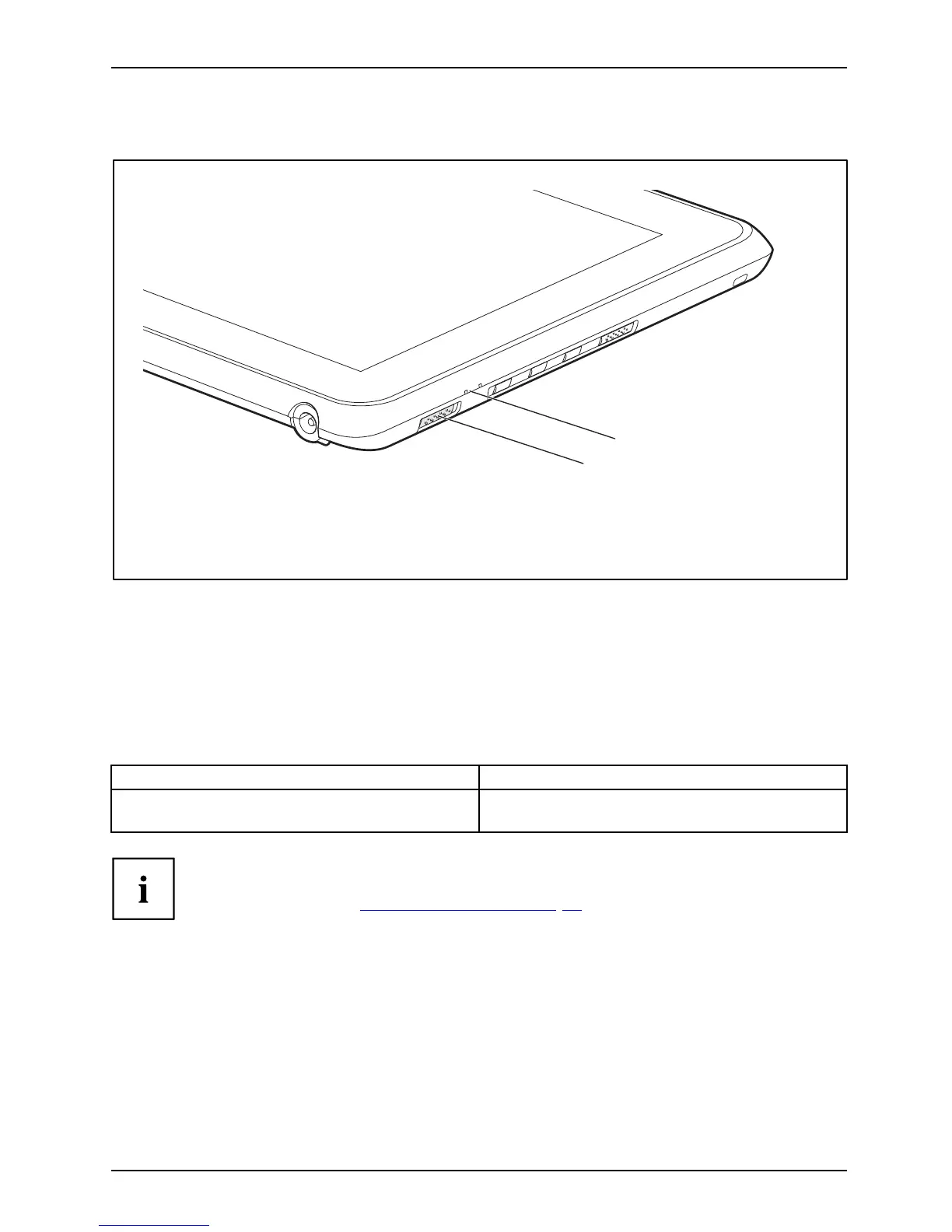
► Slide the ON/OFF switch (1) to the right to switch on the Tablet PC.
The ON/OFF switch returns automatically to its original position.
The power-on indicator (2) lights up whenever the system is switched on.
Programming the ON/OFF switch
You can pro
gram the ON/OFF s witch:
Operating system Menu
Windows 7
Start - (Settings) - Control Panel - System and
Security - Po w er Options
If you ha
ve assigned a password, you must enter this when requested to
do so, in
order to start the operating system. Detailed information can be
found i
n the chapter "
Secu rity functions", Page 53.
Switching off the Tablet PC
Tab le
tPC
► Close all applications and then sh ut down the operating system (please
see the "Opera ting System Manual").
► Slide the ON /OF F switch towards the right.
The ON/OFF switch returns automatically to its original position.
Fujitsu Technology Solutions 21



 To Next Page
 Loading...












