INSTALLATION INSTRUCTIONS
● INSTALLATION LAYOUT
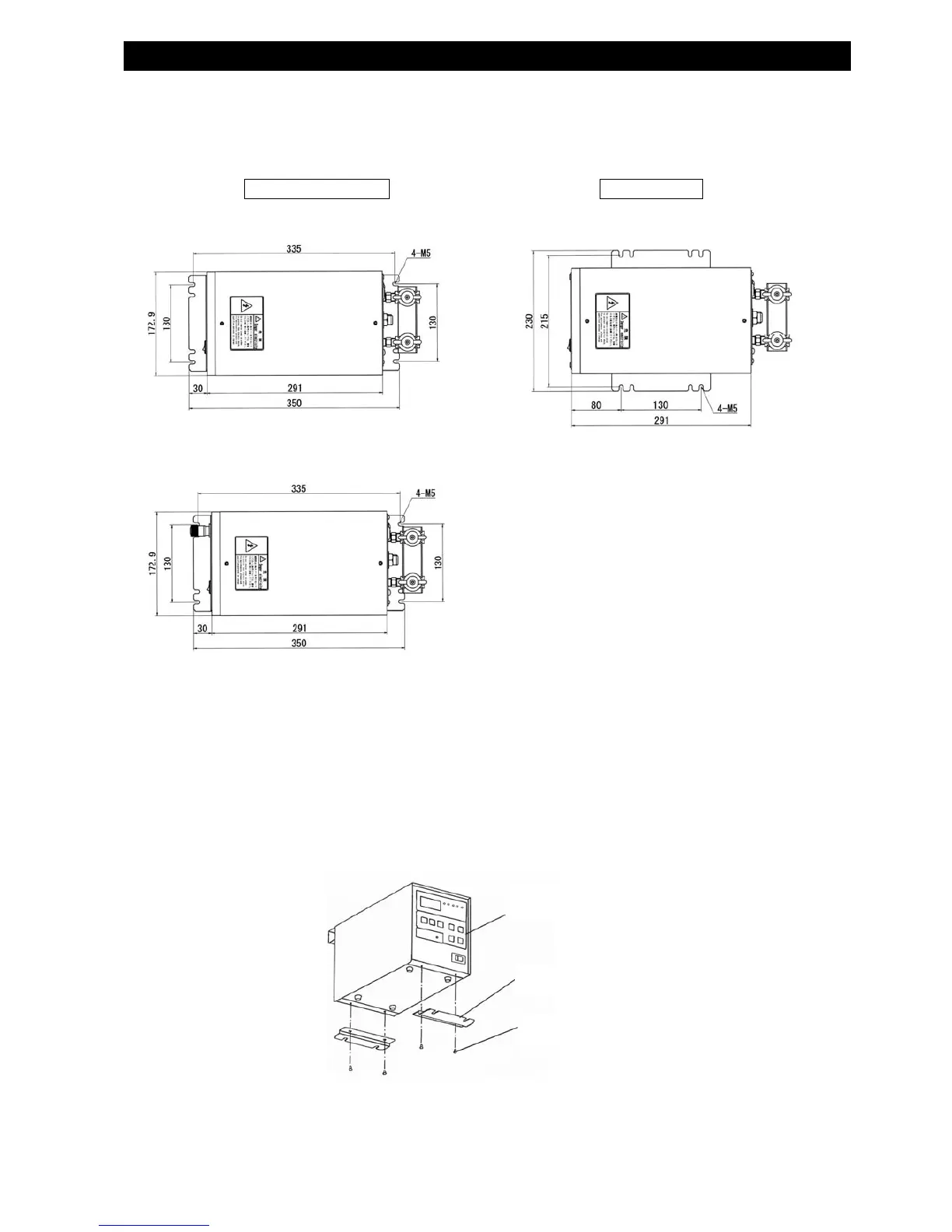
z Use a pair of brackets and the supplied screws.
※Dimensions in front & in the rear differ in case Manual Calibrator is mounted, or not.
●
INSTALLATION MEASURMENT
Follow the remarks listed below for installation.
Leave a sufficient amount of space in the rear for the work connection cables and
pressurized air piping.
See page 72 and page 74 for external dimensions.
● Fixing the Brackets
Example of Front/Rear Fixing
Fix the brackets using the screws into the tapped holes on the bottom of the unit.
Front/Rear Mounting Side Mounting
・Without calibrator
・With calibrator
・Both with and without calibrator
Main body
Supplied Screw
Mounting bracket



 To Next Page