6.
Set up the load controller, see service information sheet SI012sheet.
7.
Set the air pressure switch to its minimum setting. The gas pressure switch should be set at
10 mbar. The gas pressure switch is located on the gas train and the air pressure switch is
located on the fan casing.
8.
Fill the boiler (see Section 5.3 - Filling the boiler).
9.
Test the pump controls (see Section 6.4.1 - Feedwater Pump Test).
10.
Check water level limiters (see Section 6.4.2 - Low Water Level Check).
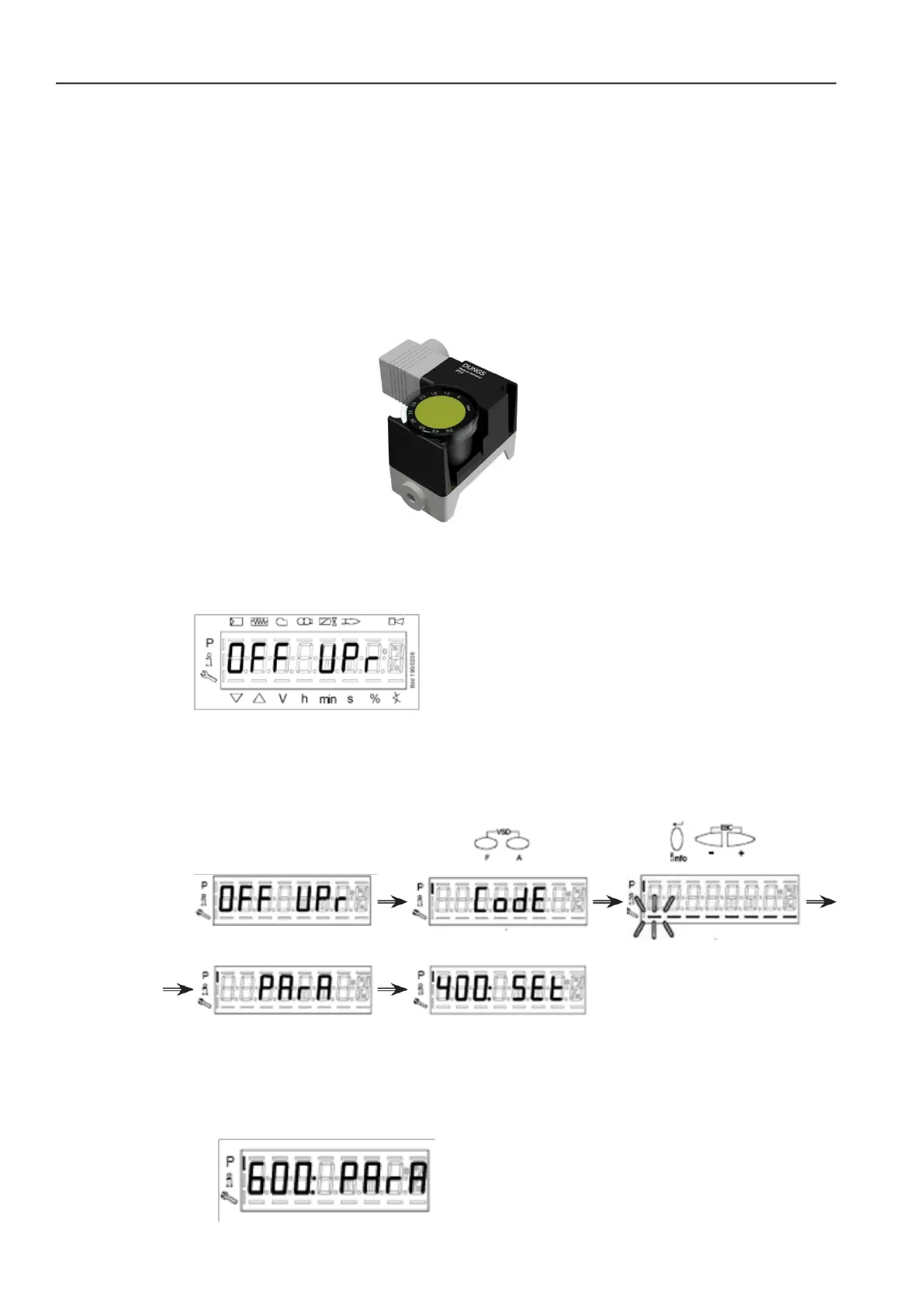
Figure. 13 - Gas/Air Pressure Switch
11.
Start the burner, the AZL2 control unit should be display the following screen;
On the AZL2 press F+A together, you will be prompted to enter the 5-character service code
using the enter button and +/- to select characters, once complete press enter again to enter
the parameter level;
Enter password
12.
(ASSUMING THE VSD CONTROLLER IS SET FROM THE FACTORY) Run speed
standardisation;
Navigate to parameter group 600 using the +/- keys.







 To Next Page