TECDIS Installation Manual Page 44
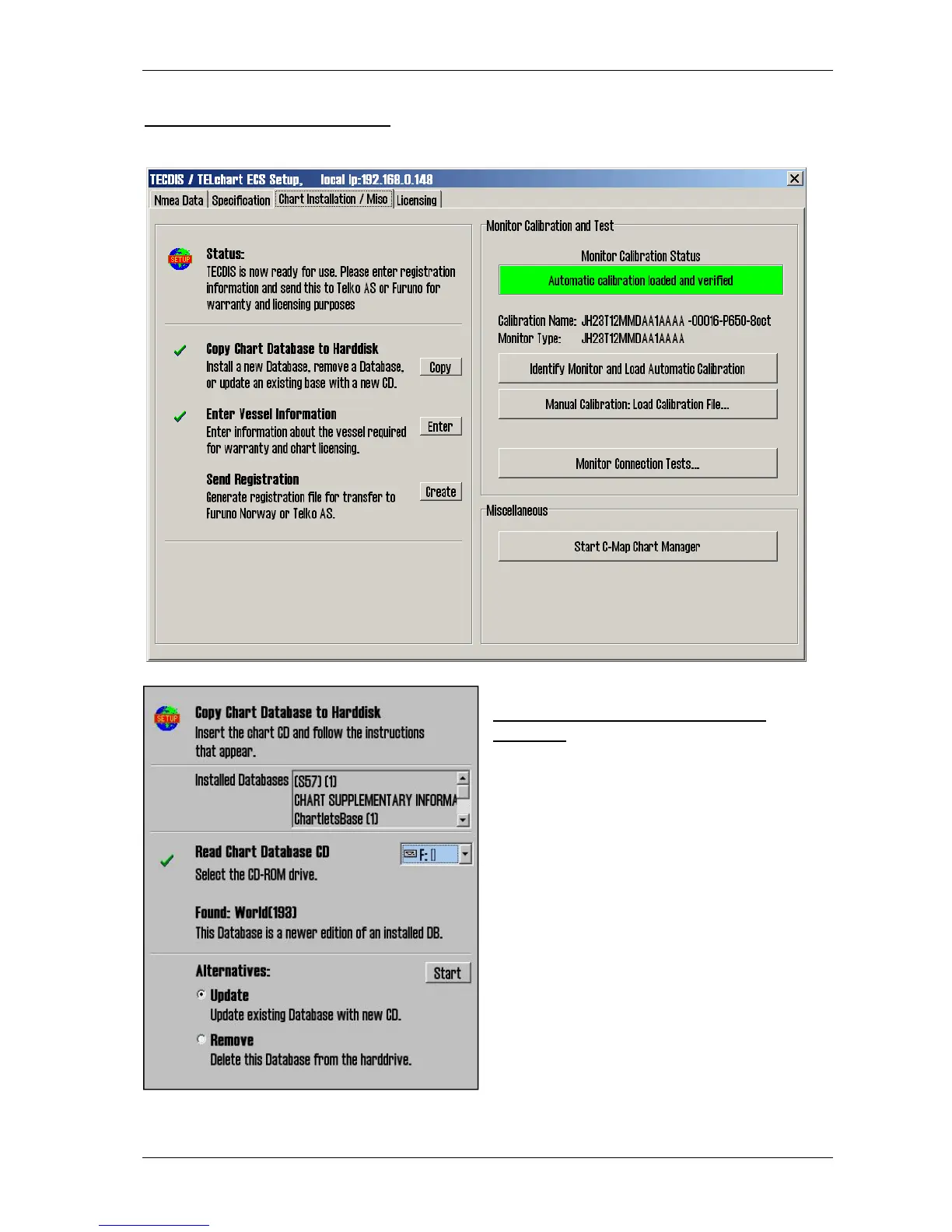
3.5 Chart Installation / Misc
3.5.1 Install, update or remove chart
databases
By clicking “Copy”, a new area with an
overview of installed chart databases is opened.
Insert the CD for the chart database that is to be
operated on and select the CD-ROM drive from
the drop down menu below the database list.
The Setup program will read the CD and
display the available actions for the chart
database. (Install, Update, Remove and ‘Set as
Default’).
Important: ‘Purchase’ chart licenses are locked
to a specific edition of the chart database. If a
different edition of the database is installed,
new licenses must be acquired. ‘Subscription’
licenses remain valid when newer chart
database editions are installed.










 To Next Page