TECDIS Installation Manual Page 55
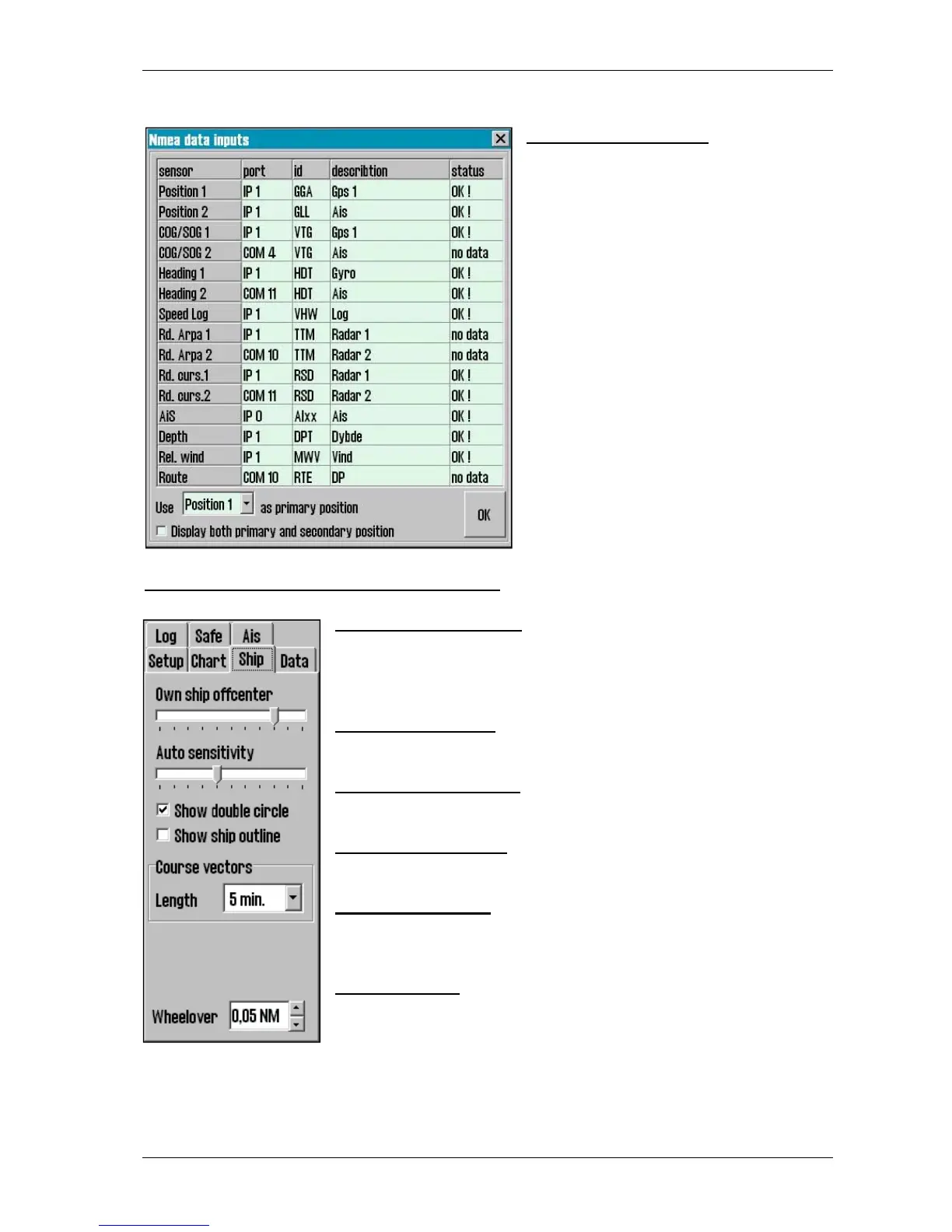
4.1.1. Nmea data inputs:
Displaying a list describing which ports
the various sensor information is received
from. Also displaying which Nmea
sentences used and the data
communication status. This is only a
information window. Changes have to be
made in TECDIS Setup. (see chapter 3).
Position fixing: Displays 2 sources for
positioning. Primary and secondary can be
selected. Primary and secondary can be
displayed simultaneously on the chart
display. If primary position fixing system
falls out, the system automatically uses
secondary. If both positioning systems
drops out, change over to dead reckoning
is executed. (Log+Gyro)
4.2. Operational parameters for the Ship
4.2.1. Own ship offcenter
Location of own ship on the screen. High value: Vessel is placed
more offcenter. Low value: vessel is placed closer to screen centre.
This function is only active when auto function is enabled.
4.2.2. Auto sensitivity
How often chart to be centered/shifted in Auto mode.
4.2.3. Show double circle
The boat symbol can be displayed with or without circles.
4.2.4 Show ship outline
This option allows the true vessel outline to be displayed in the chart.
4.2.5. Course vectors
Sets vector length on own ship and targets. (One cross line on vector
is one minute).
4.2.6. Wheelover
Wheel over line distance from Waypoint. New command to track
pilot and route monitoring.
Please verify these values with the vessel’s Master before finalizing the installation. These
parameters are not part of the setup program, but are included in the normal program.










 To Next Page