TECDIS Installation Manual Page 58
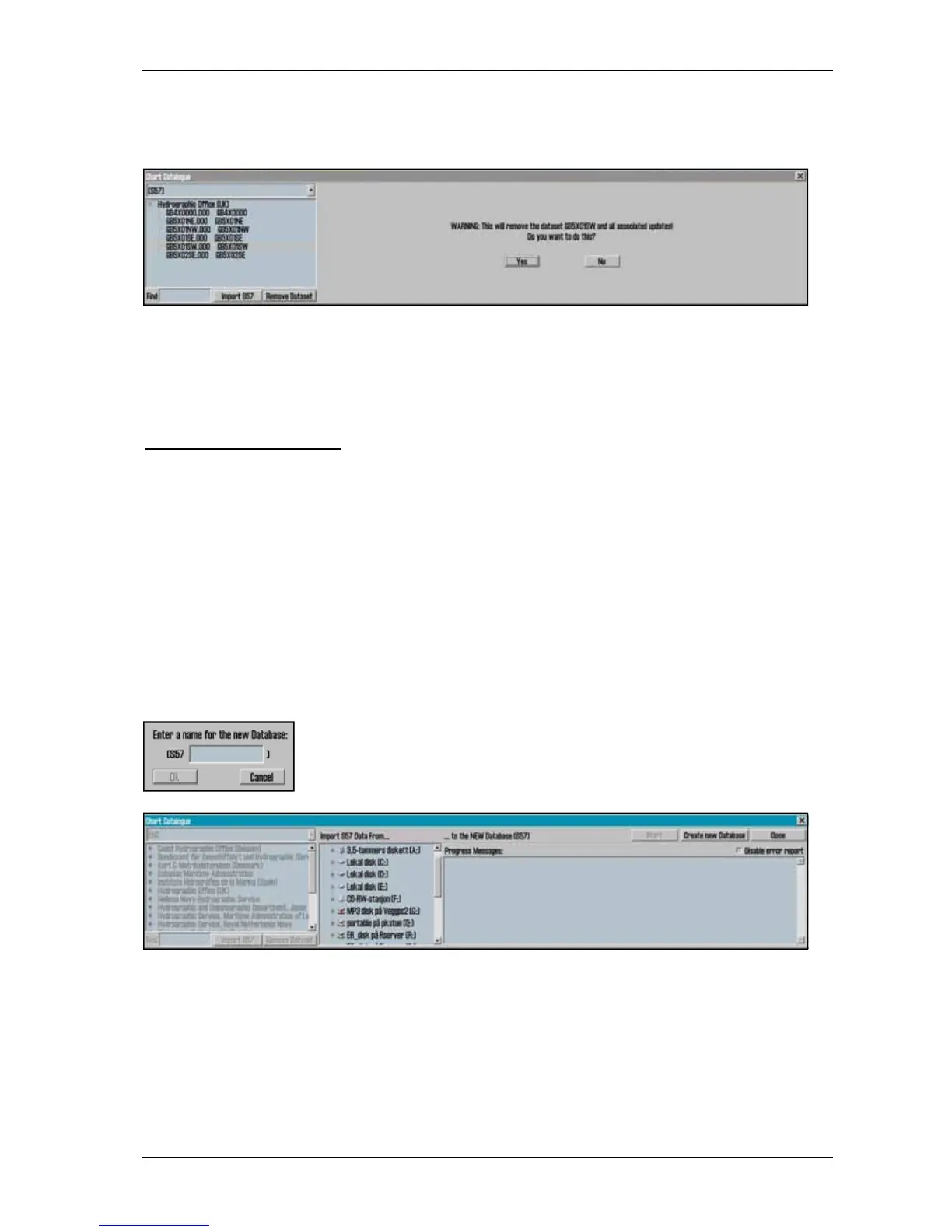
Remove dataset: If a database contains imported S57 data is selected in the drop down menu,
the button” Remove Dataset” will delete selected chart.
4.5 Import of S57 data
NB: When two ECDIS machines are connected, make sure to make the same updates in the
second ECDIS.
Import of S57 data is done trough the chart library. Select database in the drop down menu and
press “Import S57”.
A database contains of datasets (charts). ENC data is sold as ENC cells in S57 format. Trough
import to a database every ENC cell is converted to a dataset. This is a two step process:
verification of data and conversion/compilation to a dataset.
To import data, select drive in the field ”Import S57 data from…”. Data is imported to a
database which name begins with S57. However there are none S57 databases present, a new one
(S57) is created. Optional an own database can be created by pressing
”create new database”. S57 database is added automatically and can be
highlighted for viewing in setup menu folder.
When drive is selected, the ”start” button is activated. Press the button to commence import.
Data is automatically verified.










 To Next Page