TECDIS Installation Manual Page 57
4.4 Chart library
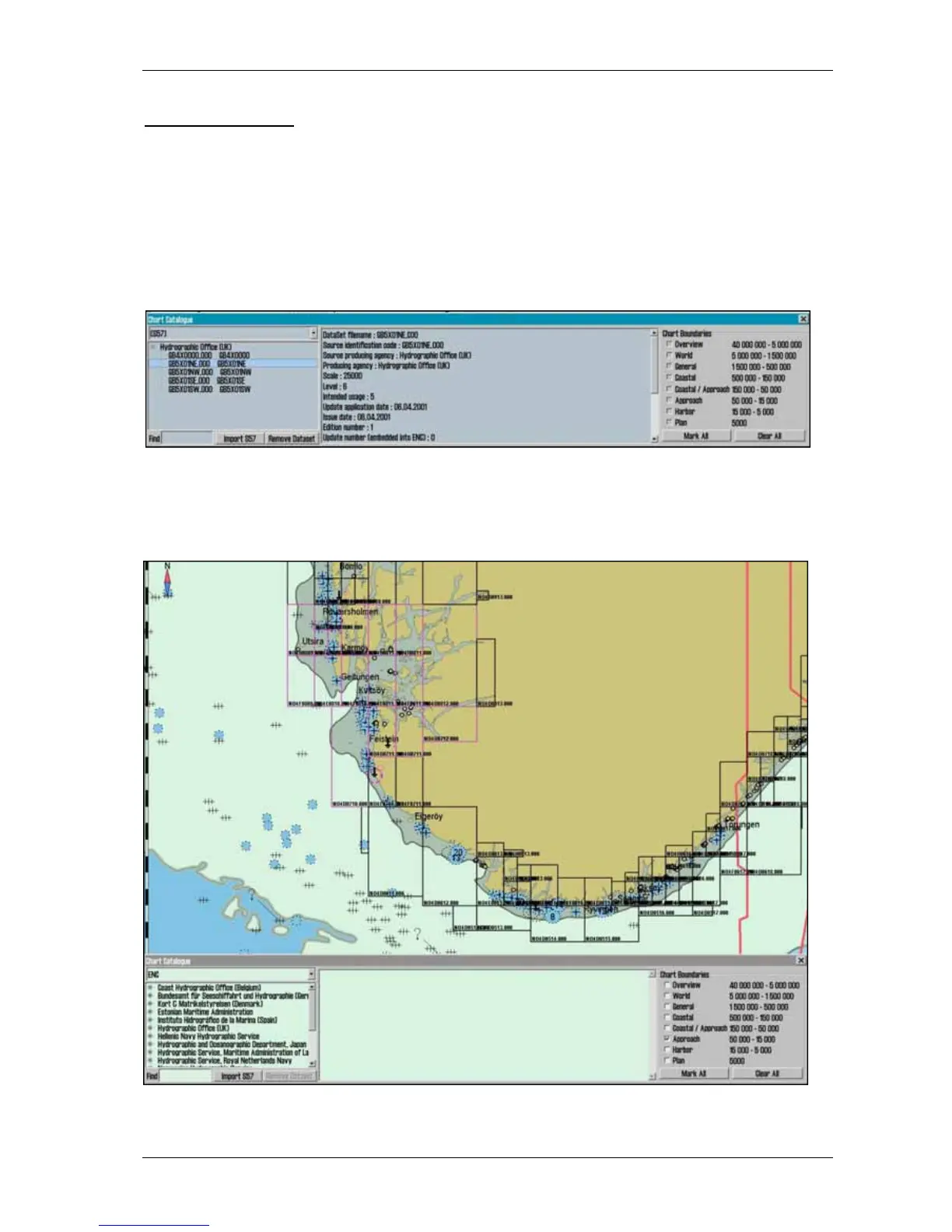
Chart library displays an overview of all chart in a database. Selecting a database from the drop
down menu a list with all charts in the database appears, sorted by publisher. Highlight a chart in
the list to display further information (middle field). When double clicking on a chart in the list,
it will appear if license is present. When vessel is sailing, vessel is automatically centered. (if not
auto function is disabled).
NB: Chart library only displays databases selected in setup menu folder.
Chart boundaries: graphically presents coverage of all charts in the database at present level.
(Levels comply with scale selected on the top menu bar) Licensed charts are displayed with
magenta, non licensed charts are marked with black boundary. Chart names are presented in the
bottom left hand corner of the square.










 To Next Page