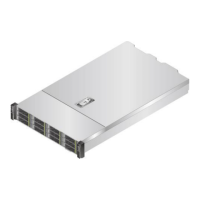
FusionServer 5288 V5 Server
Technical White Paper
Copyright © xFusion Digital Technologies Co., Ltd.
⚫
You can control the UID indicator status by
pressing the UID button or using the iBMC.
⚫
You can press this button to turn on or off the
UID indicator.
⚫
You can press and hold down this button for 4
to 6 seconds to reset the iBMC.
⚫
Off: The device is powered off or is faulty.
⚫
Blinking red at 1 Hz: A major alarm has been
generated on the system.
⚫
Blinking red at 5 Hz: A critical alarm has been
generated on the system.
⚫
Steady green: The device is operating
properly.
LOM port
connection
status
indicator
Each indicator shows the connection status of an
Ethernet LOM port.
⚫
Off: The network port is not in use or has
failed.
⚫
Steady green: The network port is properly
connected.
NOTE
⚫
The indicators correspond to two 10GE and two GE
network ports on the mainboard.
⚫
The LOM has a standby power supply and will not
be powered off even if the service system is
powered off. As long as the LOM ports are properly
connected to other working network devices, the
network ports will remain connected and the
indicators are on.


 To Next Page