EasyManua.ls Logo

Fusion FusionServer 5288 V5 - Indicators

Fusion FusionServer 5288 V5
110 pages
Print Icon
To Next Page IconTo Next Page
To Previous Page IconTo Previous Page
Loading...
FusionServer 5288 V5 Server
Technical White Paper
5 Hardware Description
Issue 07 (2023-04-30)
Copyright © xFusion Digital Technologies Co., Ltd.
15
5.2.2 Indicators
Indicator Positions
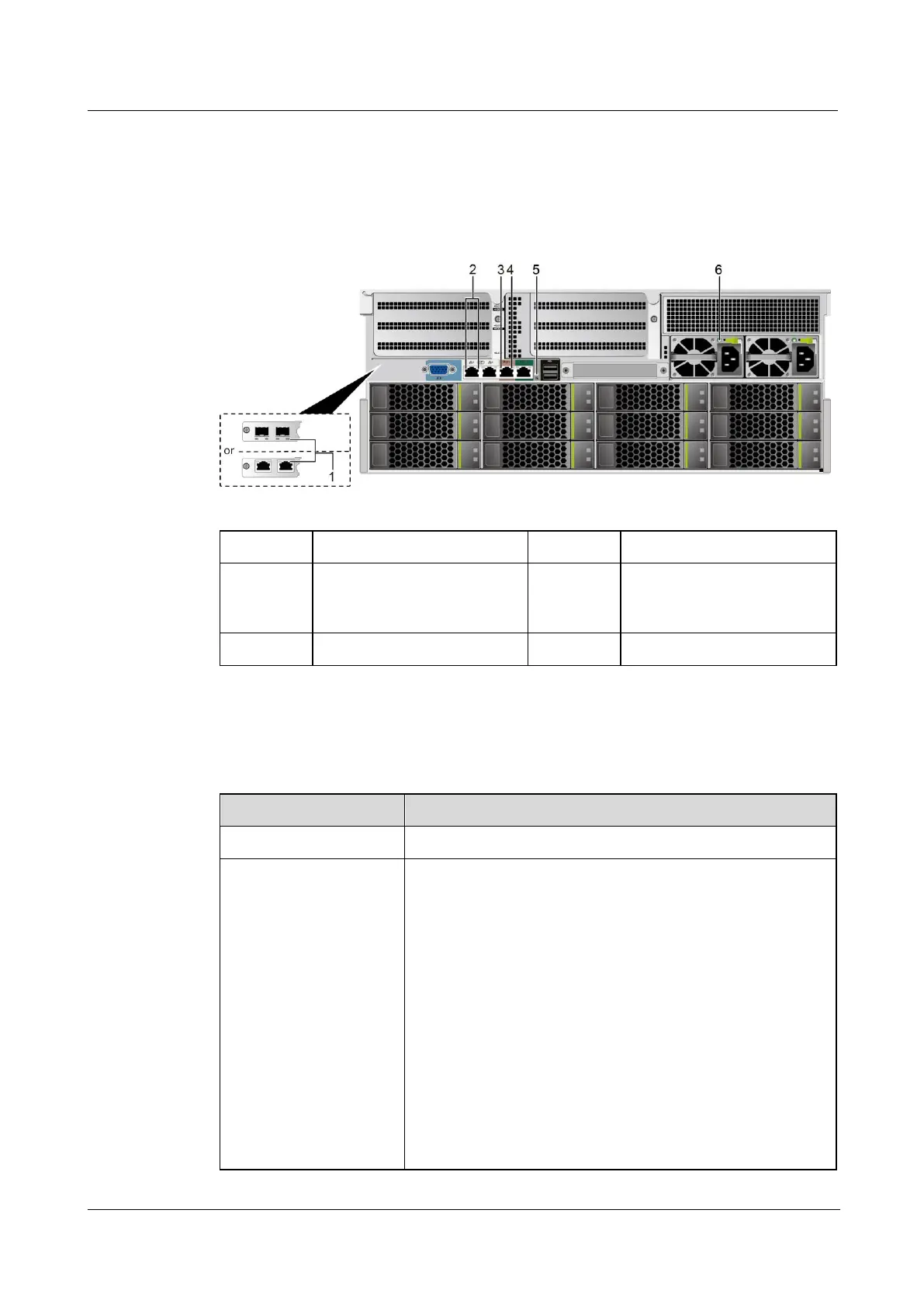
Figure 5-5 Indicators on the rear panel
1
LOM port indicator
2
LOM port indicator
3
Data transmission status
indicator of the
management network port
4
Connection status indicator
of the management
network port
5
UID Indicator
6
PSU indicator
Indicator Description
Table 5-3 Description of indicators on the rear panel
Indicator
Description
LOM port indicator
For details, see 5.6.1 LOMs .
PSU indicator
Off: No power is supplied.
Blinking green at 1 Hz:
The input is normal, and the server is standby.
The input is overvoltage or undervoltage.
The PSU is in deep hibernation mode.
Blinking green at 4 Hz: The firmware is being
upgraded online.
Steady green: The power input and output are normal.
Steady orange: The input is normal, but no power
output is supplied.
NOTE
The possible causes of no power output are as follows:
Power supply overtemperature protection

Related product manuals