5.7 I/O Expansion
5.7.1 PCIe Cards
PCIe cards provide ease of expandability and connection.
⚫
The electrical ports provided by PCIe NICs cannot be connected to power over
Ethernet (PoE) devices (such as a switch with PoE enabled). Connecting such an
electrical port to a PoE device may cause link communication failure or even
damage the NIC.
⚫
Contact your local sales representative or use the Compatibility Checker to
determine the components to be used.
⚫
When IB cards are used to build an IB network, ensure that the IPoIB modes of
the IB cards at both ends of the network are the same. For details, contact
technical support.
5.7.2 PCIe Slots
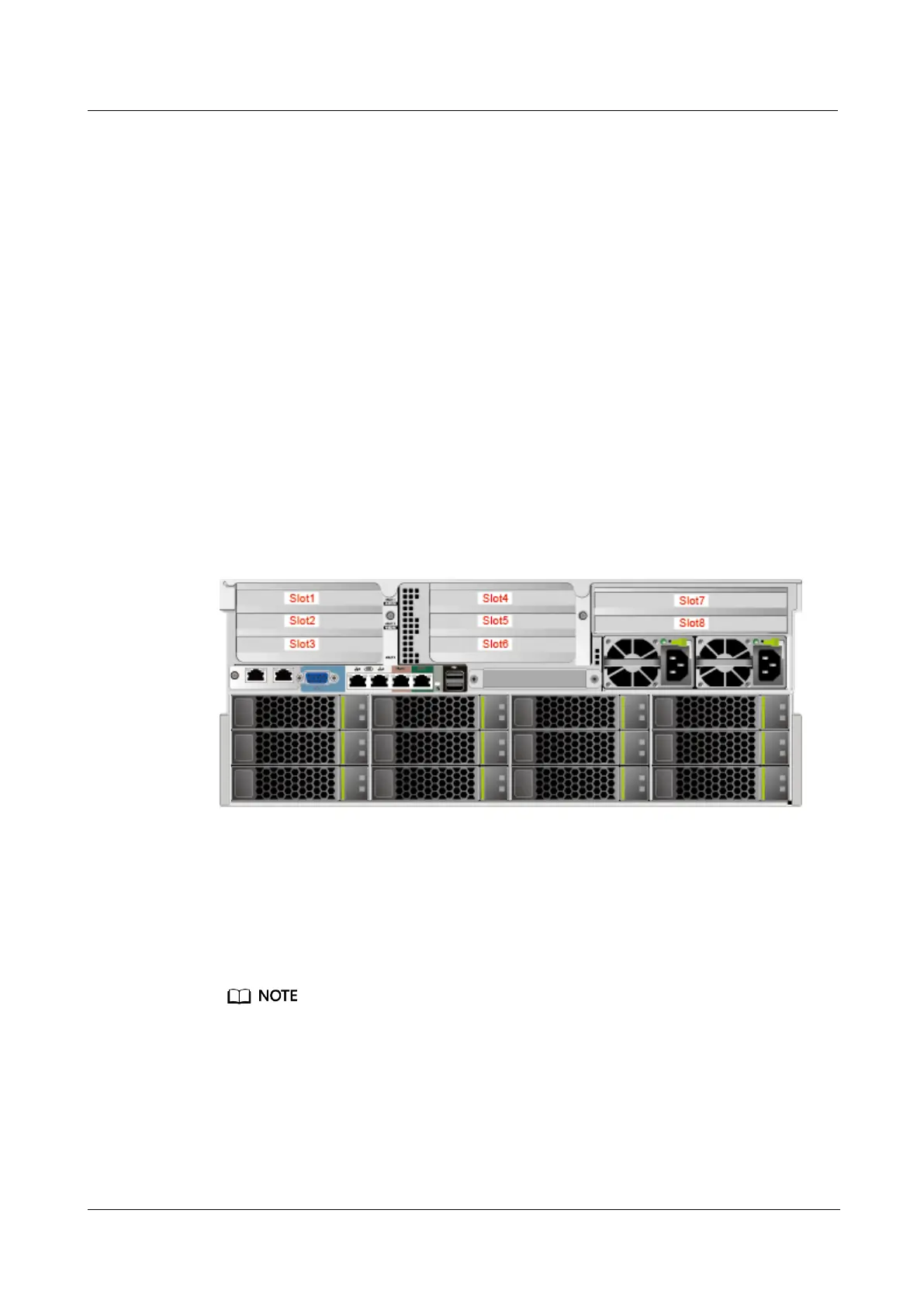
PCIe Slots
Figure 5-30 PCIe slots
⚫
I/O module 1 provides slots 1 to 3. If a dual-slot PCIe riser module is used, slot 2
is unavailable.
⚫
I/O module 2 provides slots 4 to 6. If a dual-slot PCIe riser module is used, slot 5
is unavailable.
⚫
I/O module 3 provides slots 7 to 8. If a single-slot PCIe riser module is used, slot
8 is unavailable.
Observe the following rules when configuring GPU PCIe cards:
⚫
The 5288 V5 supports only P4 GPU x8 cards, which must be installed in the three-slot PCIe
riser module in I/O module 1 or 2.
⚫
If four P4 GPU cards are configured:
⚫
The GPU cards fit into slots 1, 2, 4, and 5.
⚫
The processor power can reach 205 W.
⚫
The GPU cards support the highest temperature of 30°C in stack installation and 35°C in
non-stack installation.


 To Next Page