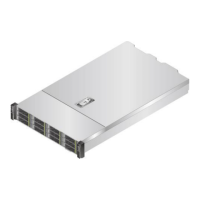
FusionServer 5288 V5 Server
Technical White Paper
Copyright © xFusion Digital Technologies Co., Ltd.
transmitted.
⚫
Steady green: The network port is
properly connected.
Transmission rate
indicator
⚫
Off: The network port is not
connected or the data transmission
rate is 100 Mbit/s.
⚫
Steady green: The data transmission
rate is 10 Gbit/s.
⚫
Steady yellow: The data transmission
rate is 1 Gbit/s.
Connection status
indicator/Data
transmission
status indicator
⚫
Off: The network port is not
connected.
⚫
Blinking green: Data is being
transmitted.
⚫
Steady green: The network port is
connected properly.
Transmission rate
indicator
⚫
Off: The network port is not
connected.
⚫
Steady green: The data transmission
rate is 25 Gbit/s.
⚫
Steady yellow: The data transmission
rate is 10 Gbit/s.
Connection status
indicator/Data
transmission
status indicator
⚫
Off: The network port is not
connected.
⚫
Blinking green: Data is being
transmitted.
⚫
Steady green: The network port is
properly connected.
Connection status
indicators
⚫
Off: No physical link is set up.
⚫
Blinking green: The physical link is
abnormal.
⚫
Steady green: The physical link is
normal.
Data transmission
status indicator
⚫
Off: No logical link is set up.
⚫
Blinking yellow: Data is being
transmitted.
⚫
Steady yellow: The logical link is
normal but no data is being
transmitted.


 To Next Page