p .111
Maintenance for Your Drive
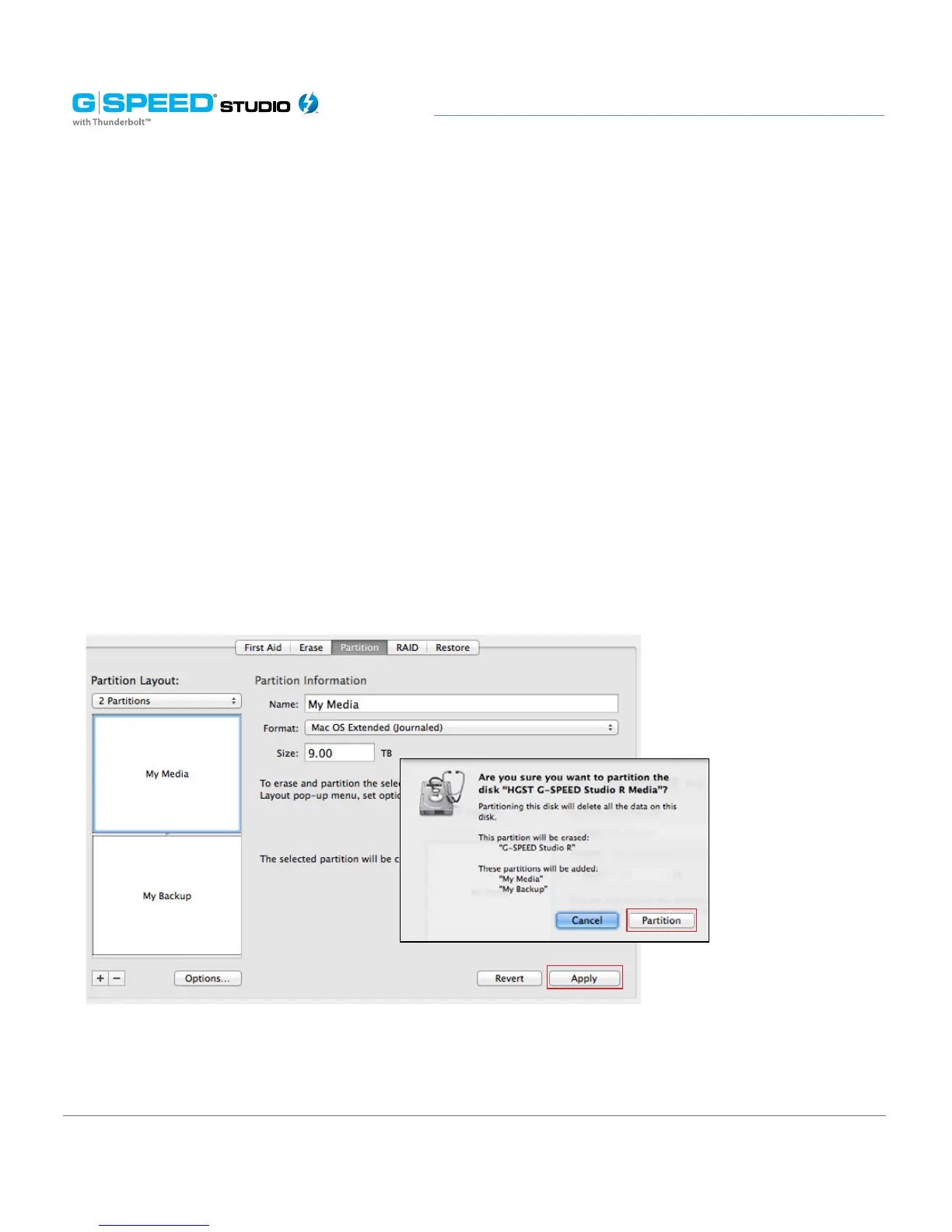
5. Click on the first partition in the Volume Scheme area. Your partition will be highlighted
by a blue bounding box.
• In the Name eld, type a name for the partition.
• From the Format menu, choose your desired disk format. If you will use your
drive primarily on Mac OSX, it is recommended to use Mac OS Extended or
Mac OS Extended (Journaled).
• In the Size eld, type in a size for the partition. Alternately, you can drag the bar
between each partition to quickly change partition sizes.
6. Repeat this process for each partition you have created.
7. Click the Apply button in the lower-right corner of the window. A dialog box will
appear asking if you want to erase the G-Technology drive partition.
WARNING: THIS NEXT STEP WILL ERASE ALL DATA ON YOUR DRIVE.















 To Next Page