40 GPSMAP
®
2008/2108 Owner’s Manual
in s T a l l i n g Th e Un i T
NOTE: Duringatypicalinstallation,useonly
the Red and Black wires. The other wires do not
have to be connected for normal operation of the
unit. For information on connecting to a NMEA
or CANet compatible device, see page 41.
To install the wiring harness:
1. Use a test light or voltmeter to determine the
polarity of the voltage source.
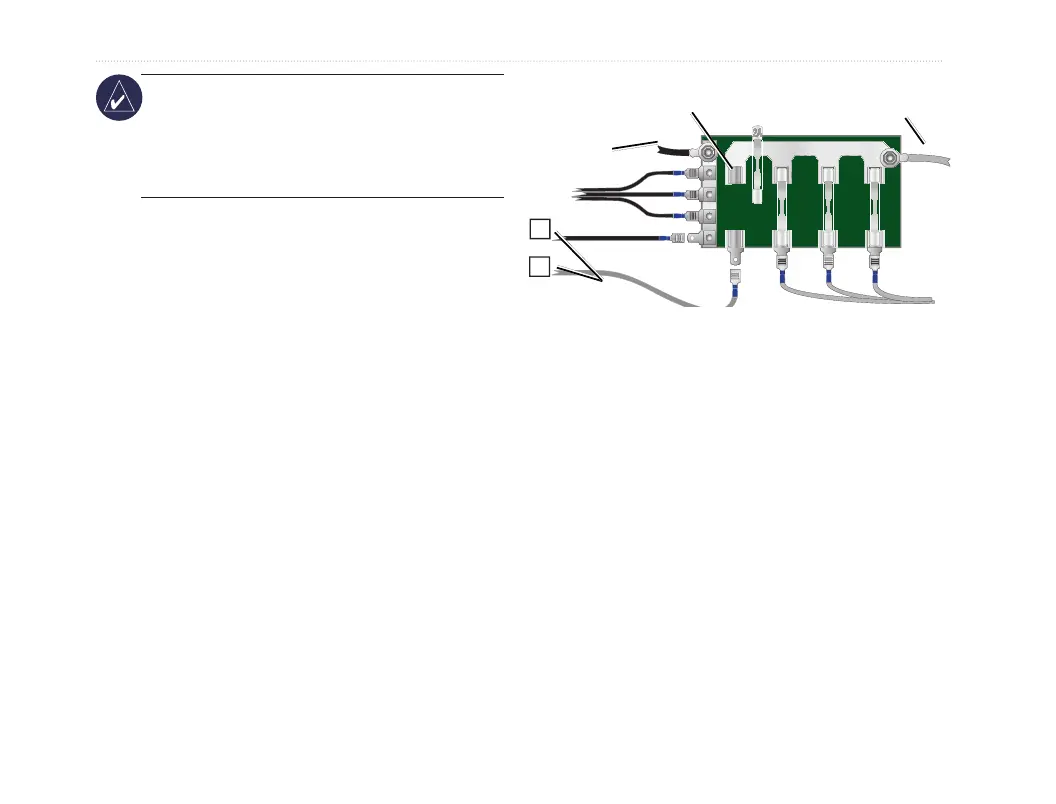
2. Connect the Red (+ or positive) wire to the
positive voltage terminal. (If you use the boat’s
fuse block, route the positive connection
through the fuse, as shown on the diagram.)
3. Connect the Black (- or ground) wire to the
negative voltage terminal.
4. Install or check the 3-Amp fuse (on the boat’s
fuse block or in the in-line holder).
5. Align the notches on the cable plug and on
the back of the unit. Insert the cable into the
connector, and turn the lock ring counter-
clockwise until it stops.
—
+
To 10-35 Volt boat supply
Boat ground
3-Amp
fuse
To Unit
Fuse block













 To Next Page