MAP PILOT owner’s manual 13
Deleting a Saved Location
NOTE: Deleted locations cannot be recovered�
1
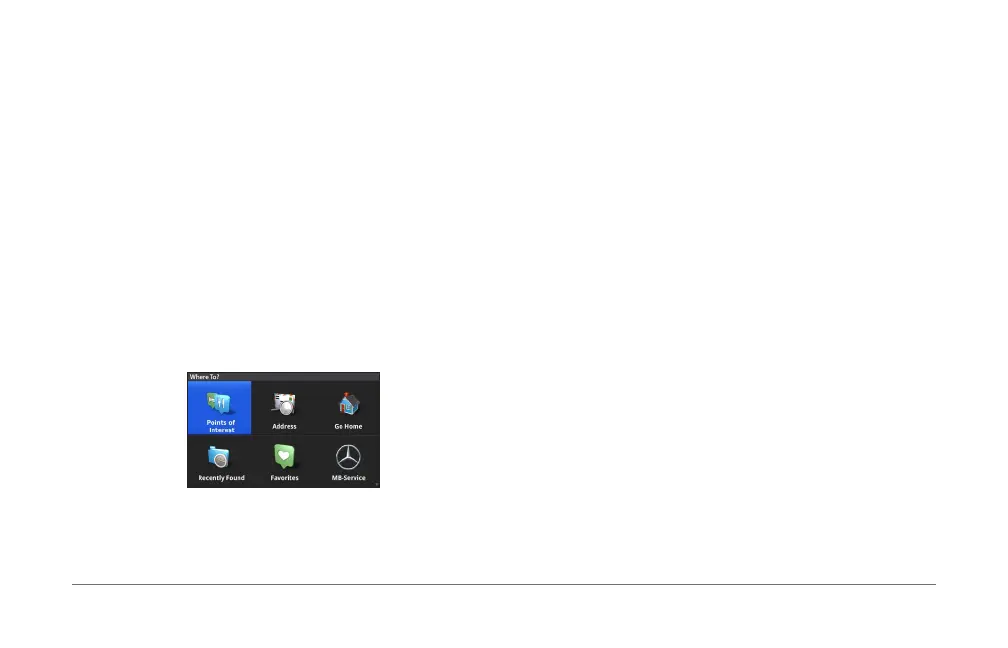
Select Where To? > Favorites�
2
Select a location�
3
Select Delete > Delete�
Clearing All Favorites
1
Select Settings > My Data > Clear All Favorites
Locations�
2
Select Yes�
Finding an MB-Service Center
1
Select Where To? > MB-Service�
2
Select a service center�
Voice Command
NOTE: Voice command is not available for all languages and
regions, and may not be available on all models�
NOTE: Voice Activated Navigation may not achieve desired
performance when in a noisy environment�
Voice command allows you to use your navigation system
by saying words and commands� The voice command menu
provides voice prompts and a list of available commands�
Activating Voice Command
Press the Voice Command activation button on your
steering wheel�
The voice command menu appears�
Voice Command Tips
• Speak in a normal voice directed at the system�
• Reduce background noise, such as voices, to increase the
accuracy of voice recognition�
• Speak commands as they appear on the screen�
• Respond to voice prompts from the system as needed�













 To Next Page