MAP PILOT owner’s manual 19
Viewing Turns
Viewing a List of Turns
When you are navigating a route, you can view all of the turns
and maneuvers for your entire route and the distance between
turns�
Select My Route > Turn List�
Viewing the Next Turn
While navigating a route, you can preview upcoming turns� The
preview includes the distance to the turn or maneuver and the
lane in which you should be traveling, if available�
1
Select My Route > Turn List�
2
Select a turn�
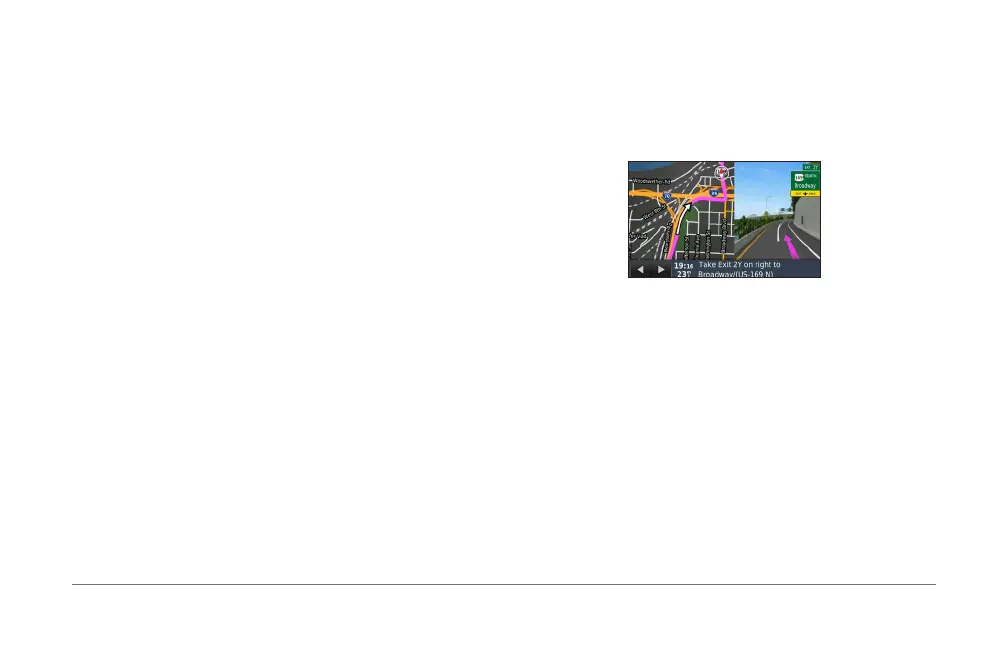
Viewing Junctions
While navigating a route, you can view the junctions on major
roadways� When you approach a junction in a route, the image
of that junction appears briey, if available�
Viewing Current Location Information
You can use the Where Am I? page to view information about
your current location� This feature is helpful if you need to tell
emergency personnel your location�
Select Compass�
Viewing Previous Destinations
You can view the previous places you have found�
Select Where To? > Recently Found�













 To Next Page