MAP PILOT owner’s manual 17
3
Select an option:
• Next 0.5mi on Route
• Next 2mi on Route
• Next 5mi on Route
• Detour by Road(s) on Route
NOTE: If the route you are currently navigating is the only
reasonable option, your system might not calculate a detour�
Removing Detours
From the main menu, select My Route > Detour > Remove
all detours�
Avoiding Road Features
You can select road features to avoid, such as toll roads or
unpaved roads�
1
Select Settings > Navigation > Avoidances�
2
Select the road features to avoid on your routes�
Your selections are automatically saved�
If certain road features cannot be avoided when calculating a
route, your system displays a message letting you know which
features are included in the route�
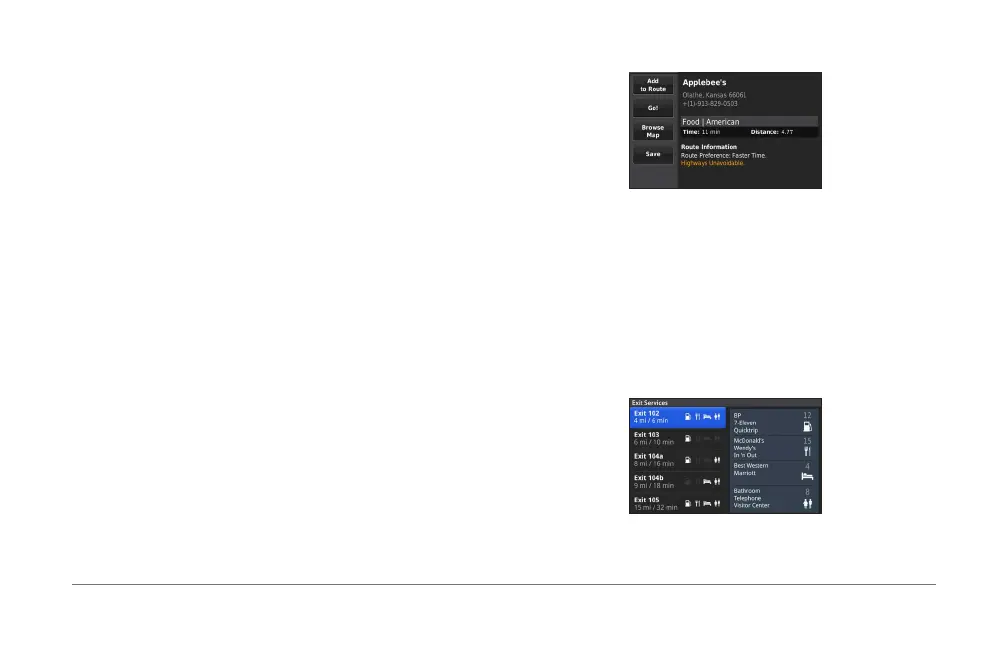
About Exit Services
When driving on a major highway, you can nd gas, food,
lodging, and restrooms near upcoming exits on major highways�
Finding Exit Services
1
Select Where To? > Exit Services�
2
Select an upcoming exit�
3
Select an exit service�
4
Select a point of interest�
5
Select Go!�













 To Next Page