Expert 24 LX User Manual
Installation
2-11
Step 2:
Installing the software
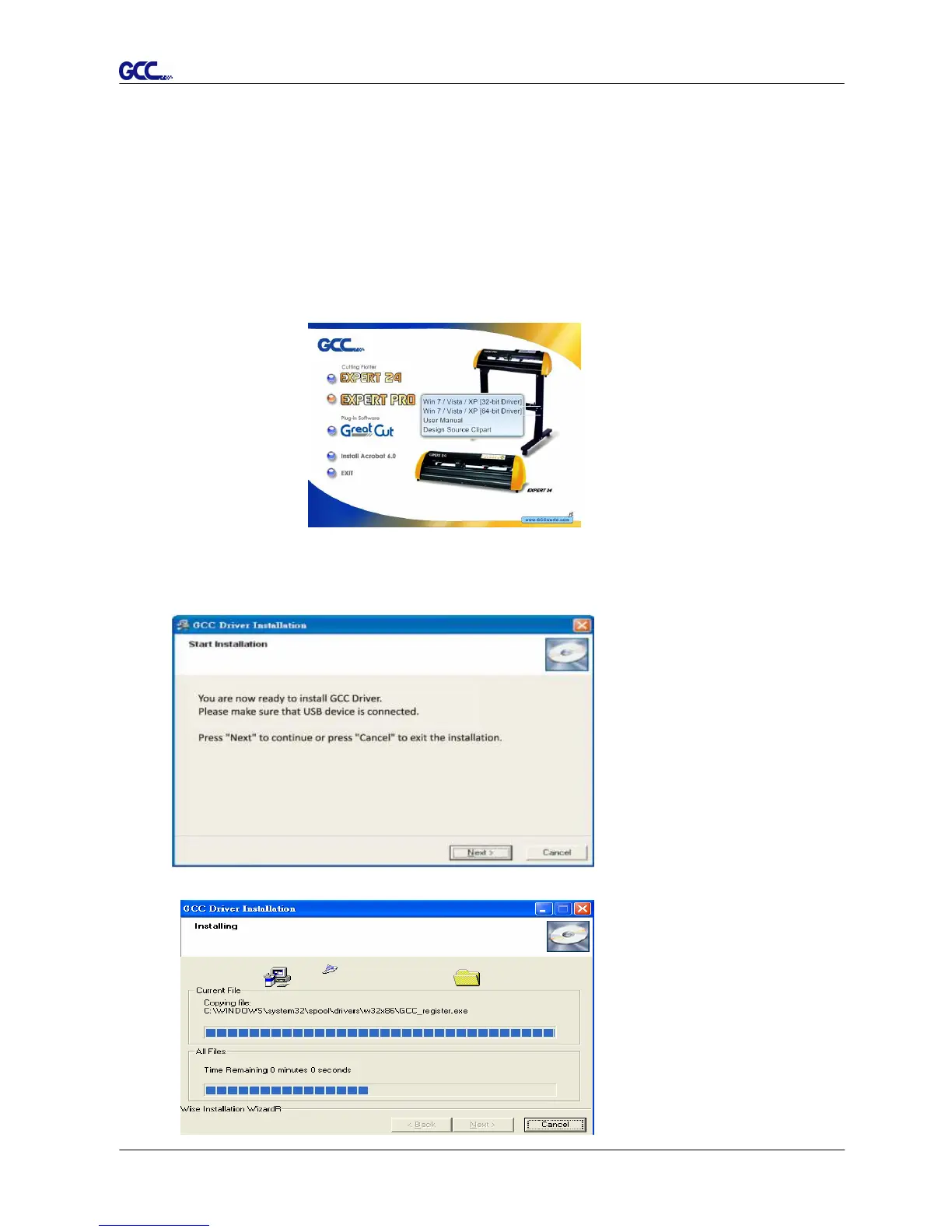
(1) Put the installation CD into your CD-ROM. Please make sure that the USB device is
connected before you start the driver installation.
(2) Choose the model you want to install from the driver list and click on Win 8/ 7/ Vista/
XP Driver (Manual Selection) or Win 8/ 7/ Vista/ XP Driver (Automatic detection) to
start installing the Driver and AAS plugin. (The Expert Pro model is used as an
illustration in the following steps.)
(3) Click “Next” to start the driver installation.














 To Next Page