3.3 File Uploader
3.3.1 Installation
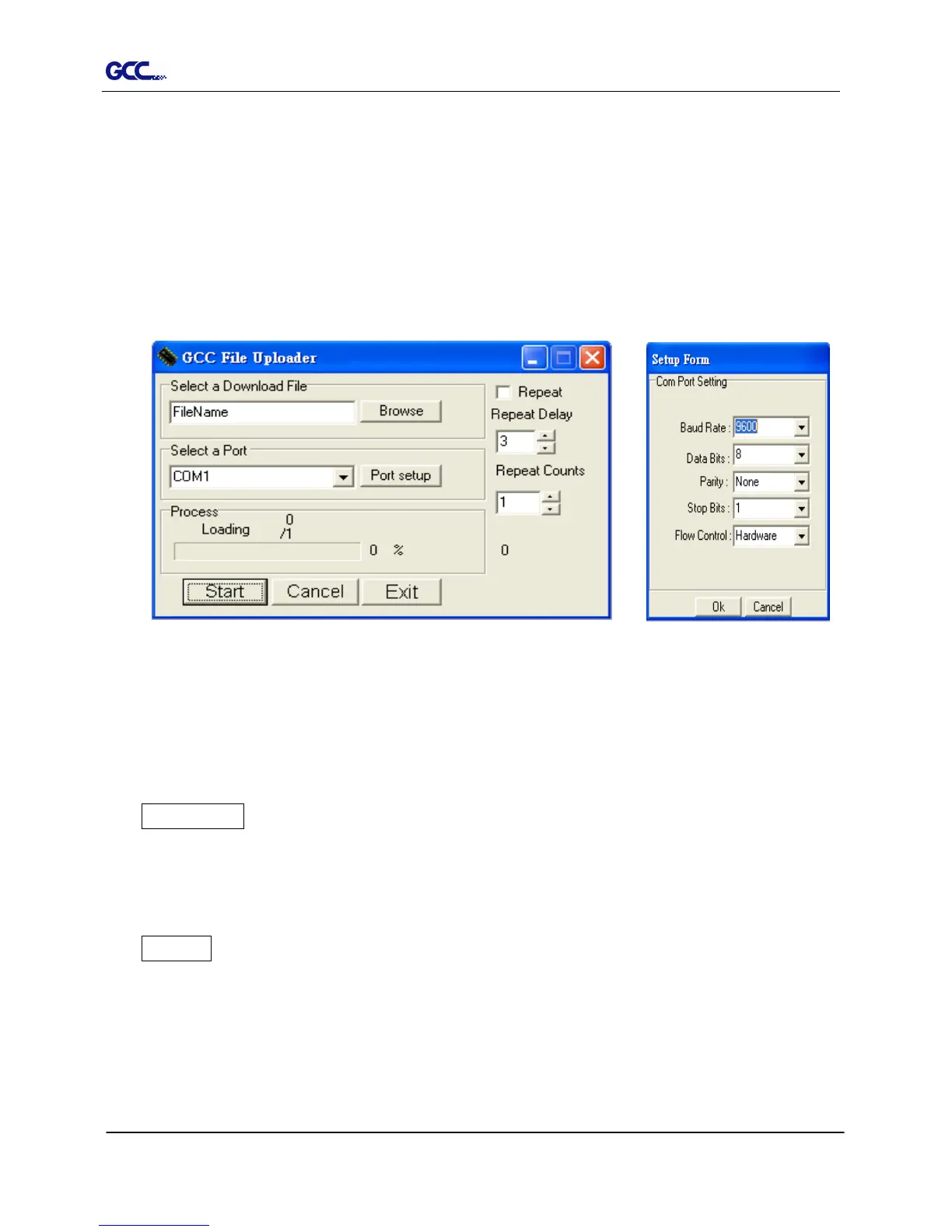
“File Uploader” is a tool to help loading files for direct output.
The program ONLY supports HPGL format-files generated via GCC Cutter driver.
Copy the GCC File Uploader.exe file in the Accessories folder of the Expert 24
LX’s Installation CD onto your local drive to finish installation.
Launch GCC File Uploader by double-click on the icon
(Figure 3-5)
.
3.3.2 Functions of File Uploader
Port setup
This function will be activated while choosing COM port for data transmission.
Press the Port setup button to pop up the setup window for parameter change
(Figure
3-6)
.
Repeat
Activate this function by click on the Repeat’s checkbox.
Repeat Delay – the pause time between jobs; Unit: second.
Repeat Counts – the number of repeat jobs.
Figure 3-5
Figure 3-6














 To Next Page