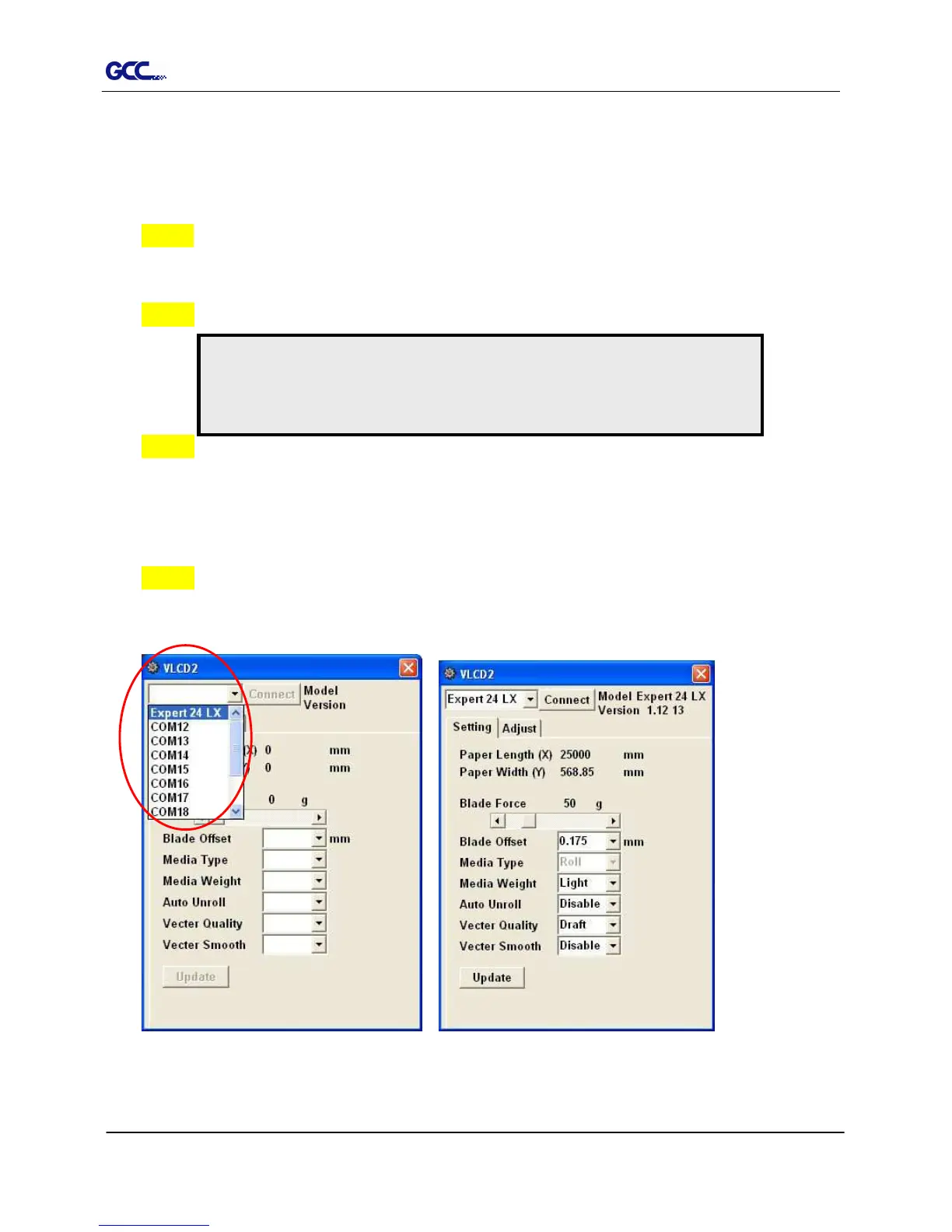
Figure 3-3 Figure 3-2
3.2 VLCD
“VLCD” is a computer program to help modify parameters of cutting functions.
3.2.1 Installation
Step 1 Copy the VLCD.exe file in the Accessories folder of the Expert 24 LX Installation CD
onto your local drive to finish installation.
Step 2 Launch VLCD by double-click on the icon.
Step 3 Choose the right port connected to your computer (Figure 3-2).
If you are using the USB cable, choose USB0 from the pull down menu. If you are
using a Serial cable, choose either COM1 or COM2. Make sure no other devices
are occupying the port that you are going to use.
Step 4 Press the Connect button to connect your computer and the cutter. If the
connection succeeds, the model info, firmware version, and adjustable parameter
columns will be showing (Figure 3-3).
Note:
Make sure the machine is in on-line mode to enable this program.
There is media in the machine.














 To Next Page