3.5 Expert 24 LX Print Driver setting
3.5.1 Expert 24 LX Print Driver setting>Option Page
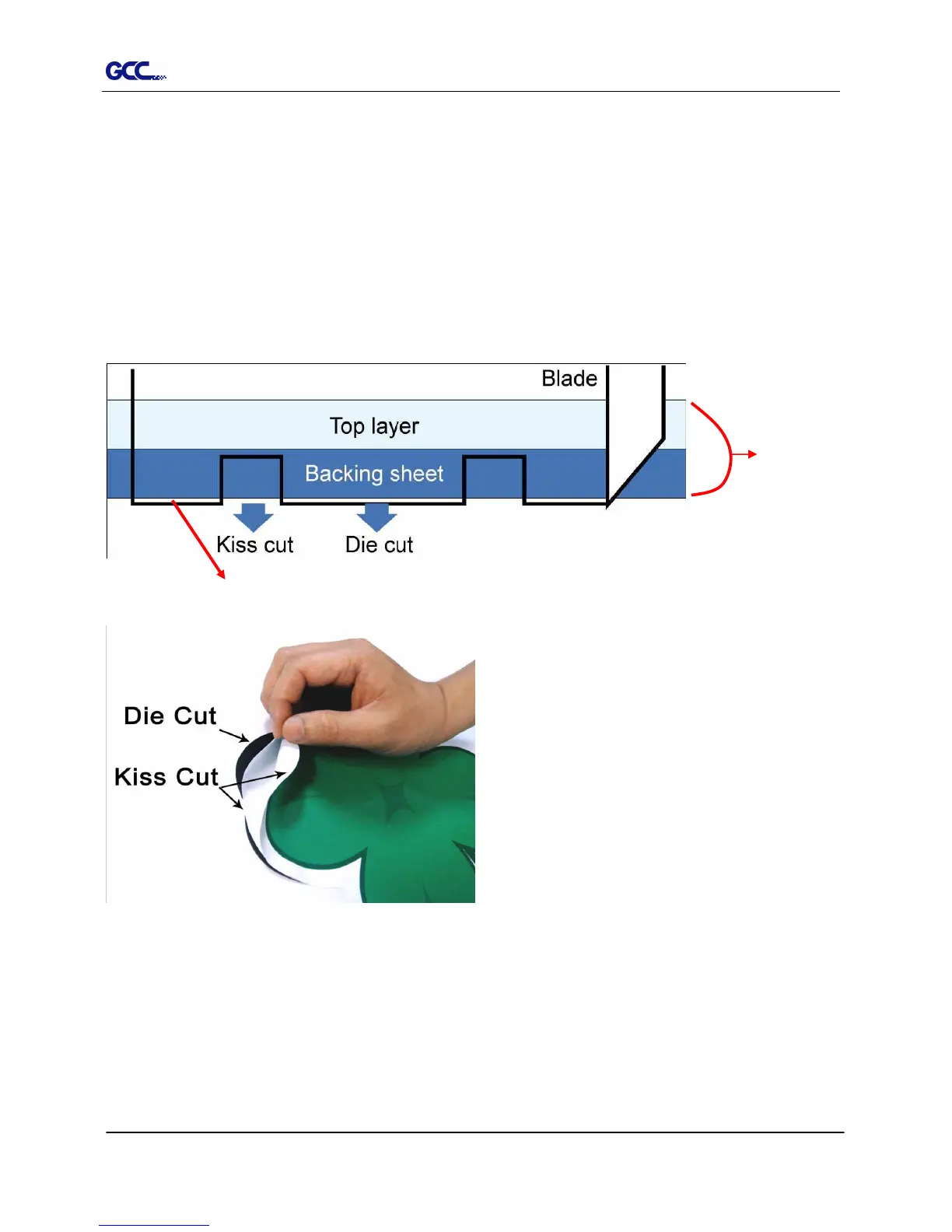
Die Cut
The Die Cut function must be activated with the Kiss Cut function to avoid the falling of
cut-through materials and material jam beneath the carriage. Die Cut helps you to cut through
the backing of the material while Kiss Cut cuts through only the top layer but not the backing.
This will leave only tiny bits of the backing attached to the top layer, creating complete individual
patterns with backing sheets (see figure 3-7 and 3-8).
Figure 3-7
Figure 3-8
Cutting line
Vinyl














 To Next Page