Expert 24 LX User Manual
Automatic-Aligning System
5-7
■ Add registration marks around the graphic.
Note:
The Multiple Copies function is also available. It automatically copy the graphic and
registration marks.
Step 2 Placing the Registration Marks
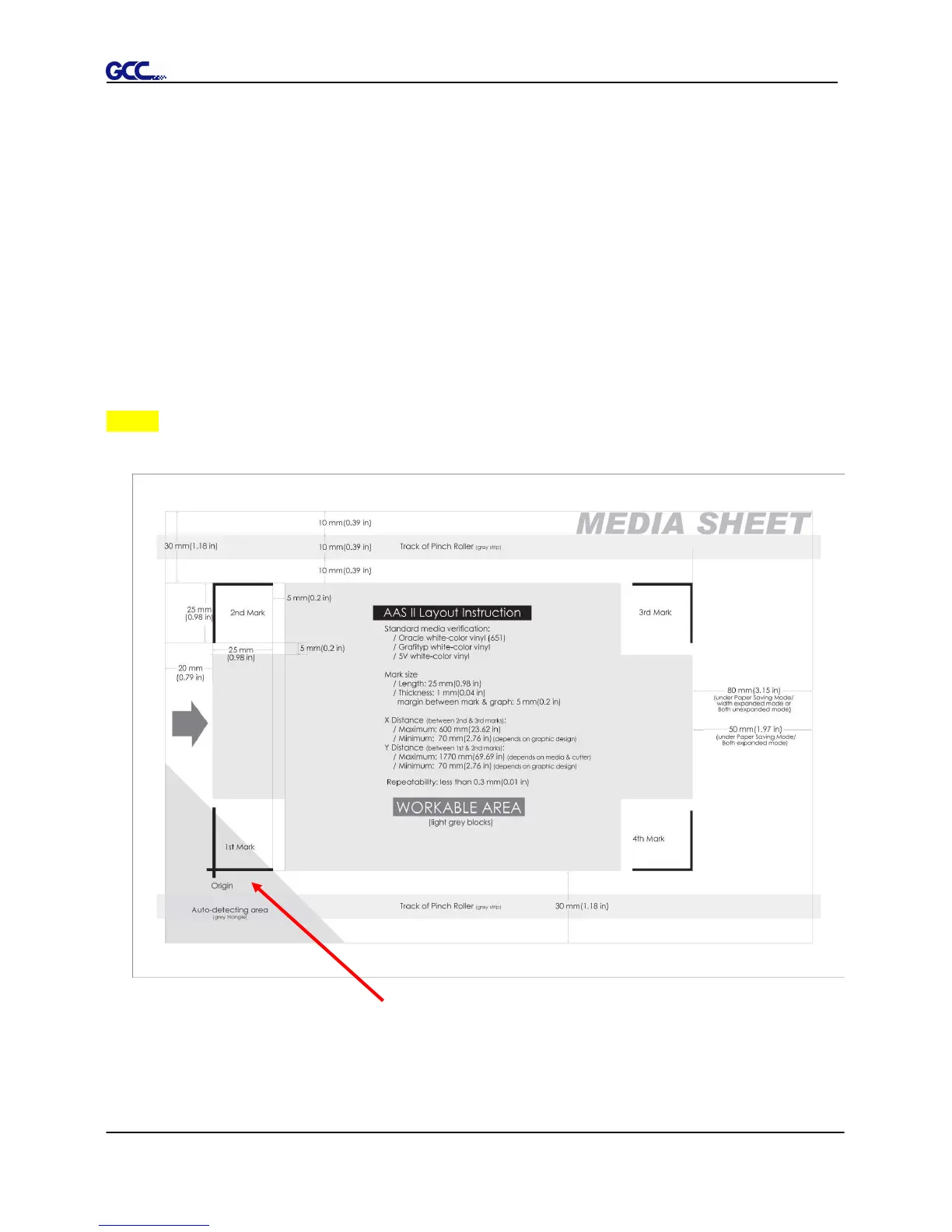
The AAS Layout Instruction:
* The Auto Detection function will succeed as long as the carriage is positioned within the grey area.
It is recommended to leave a 30mm left/right margin, 20mm margin on the top of
the media sheet, and a bottom margin of at least 50mm to avoid sheets from














 To Next Page