Expert 24 LX User Manual
Automatic-Aligning System
5-8
dropping off or other errors that may occur during media sizing.
Please note that the position of the 1
st
AAS registration mark should not be
located within the area indicated by the yellowish part of the sticker on the main beam
in Expert 24 LX cutting plotter. If the registration mark is located in the yellowish part
of the sticker then the registration mark will fail to be detected.
Step 3 Print the Graphics
■ Print the graphic and the marks with your printer
(Scaling = 100%).
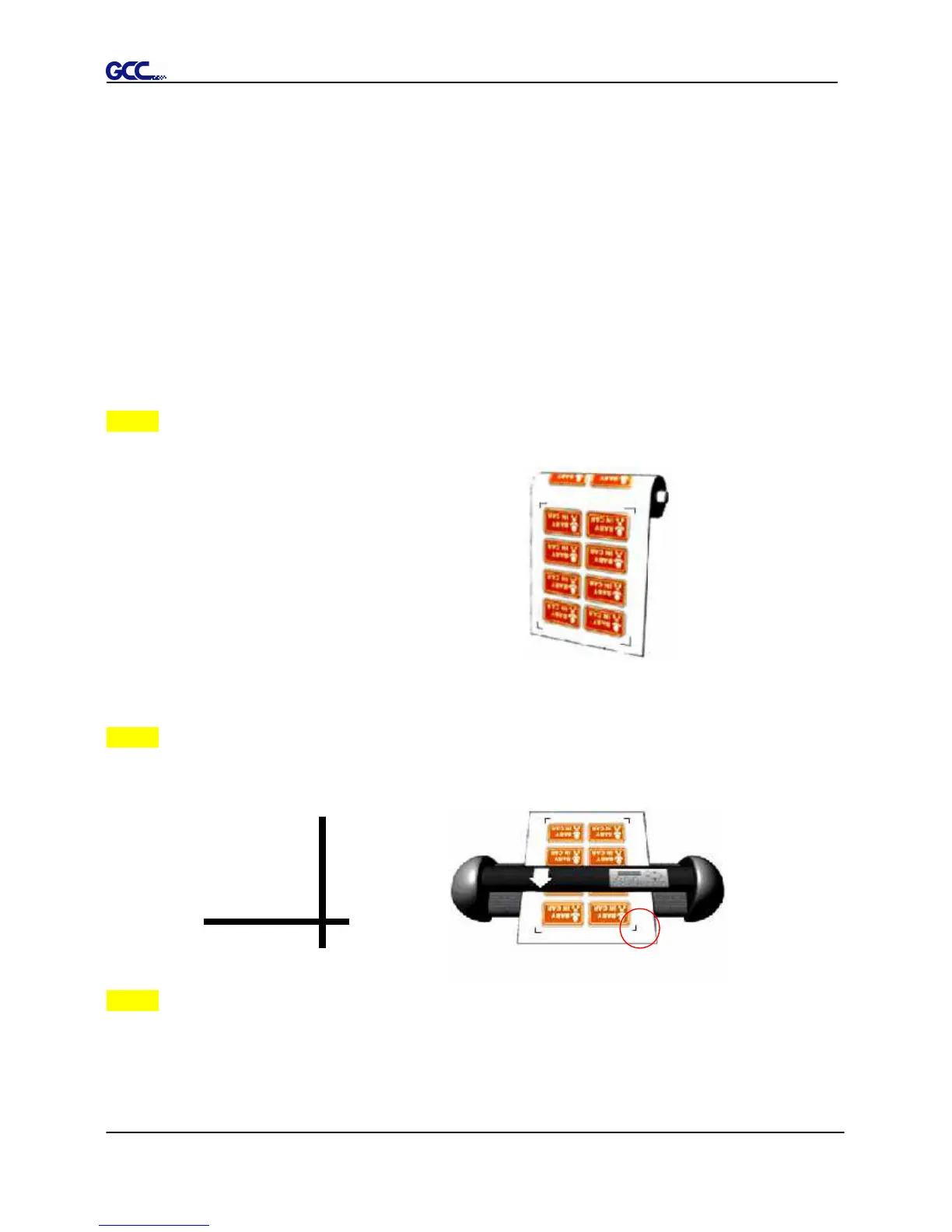
■ When printing on a roll media, make sure the orientation as following:
Step 4 Load the printout onto cutter
■ The Origin Mark is different from the rest registration marks. Please make sure the
media is fed with correct direction.
Step 5 Cut the Contour
■ Send out the command from software to perform the contour cutting job.














 To Next Page