Offset
To adjust the blade offset to ensure cutting quality in 8 options: 0.000, 0.175 (Default),
0.250, 0.275, 0.300, 0.500, 0.750, and 1.000.
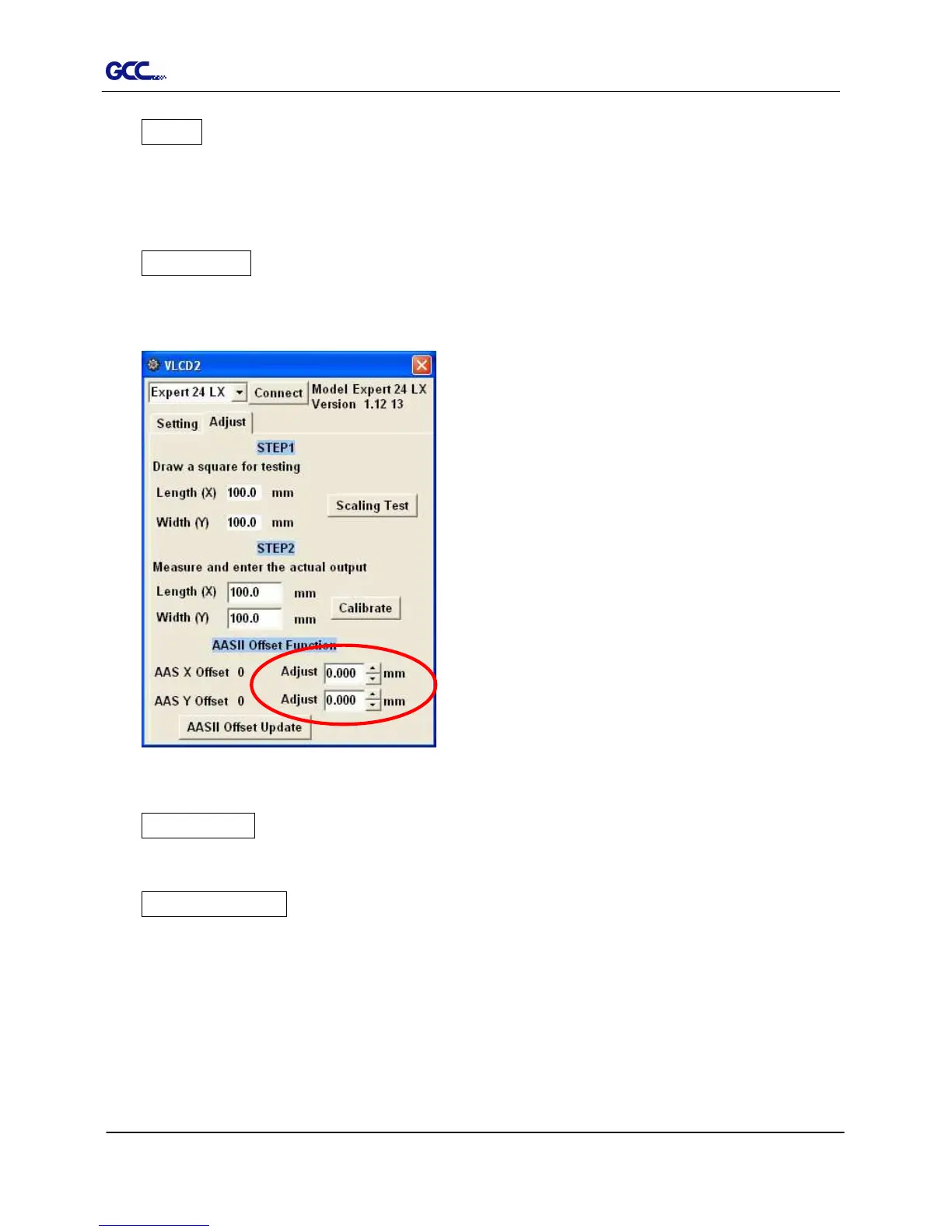
AAS Offset
To set or modify AAS offset value.
You can refer to “5.3 Printer Test” for more details.
Auto Unroll
To switch options for sheet media (Auto Unroll Off: Default) and roll media (Auto Unroll On).
Update Setting
To apply the changed setting onto the cutter by presses the Update Setting button.














 To Next Page