Expert 24 LX User Manual
CorelDRAW Plug-In A-3
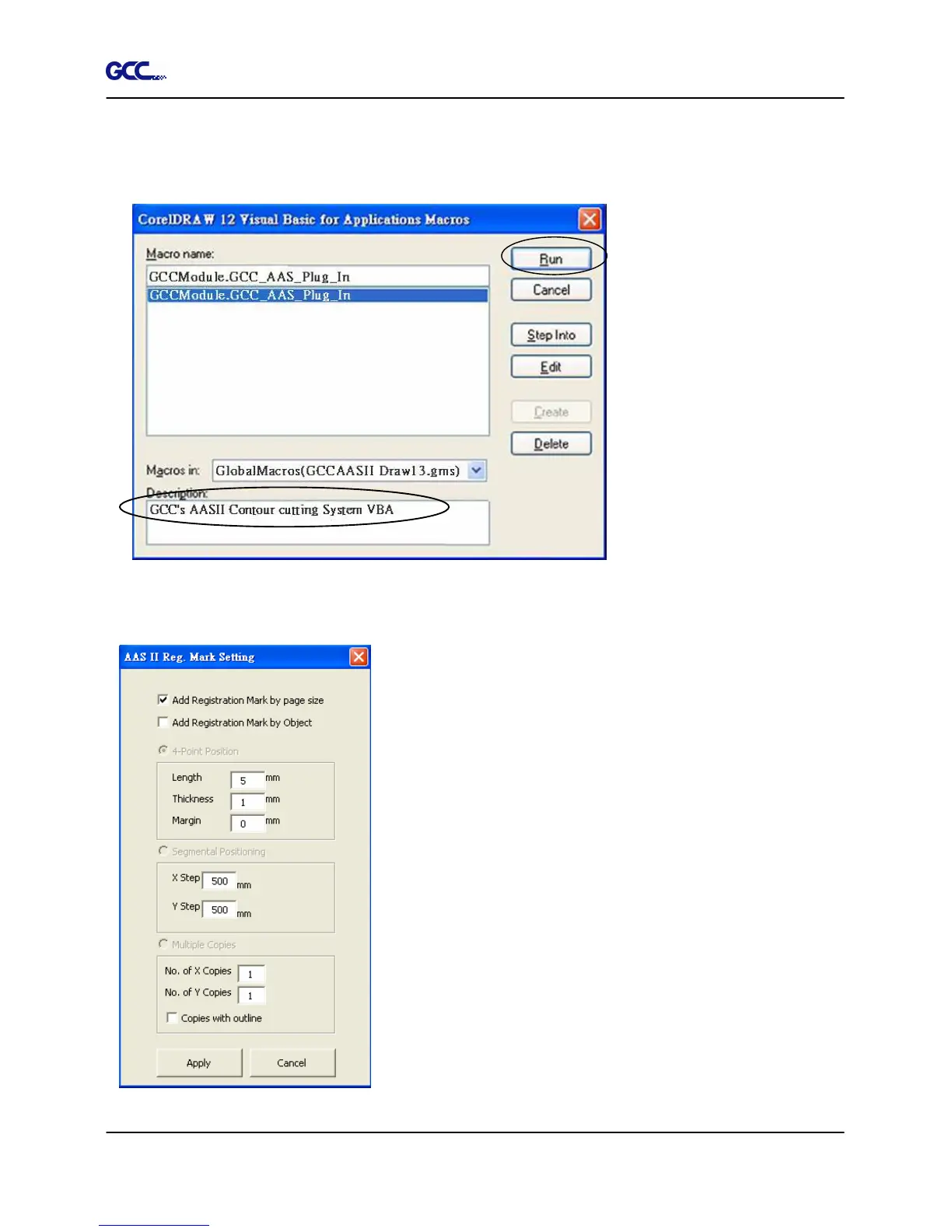
The Visual Basic for Applications Marcos window will pop up.
Select Global Macros(GCCAASII_Draw13.gms) under the “Macros in” manual, and press
“Run”.
3. Click on “Apply” and select whether you would like to add the registration marks by page
size or by object.
Note: “Add Registration Mark by Object” will be the default
selection if you click on the image whereas “Add
Registration Mark by page size” will be the default one
when the blank area on the page is clicked.
4. Now you can print out the image file with registration marks.














 To Next Page