Expert 24 LX User Manual
GreatCut Instruction A-4
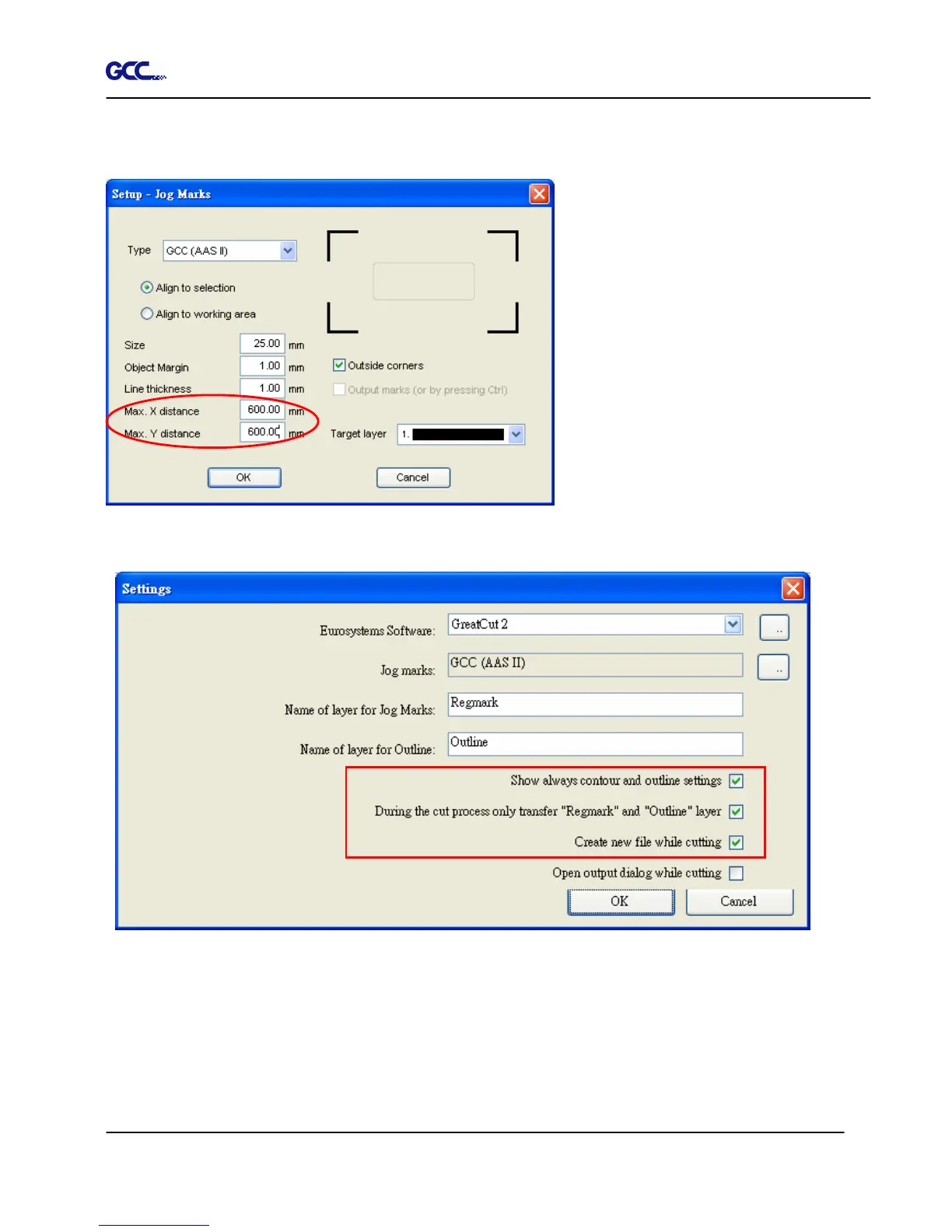
Step 5. Adjust the size, object margin and line thickness of your registration marks in the Setup-Jog
Marks window and click OK.
Step 6. Ensure the three items below are selected and click OK.
4-Point Positioning
Size: The length of marks
Range: 5mm~50mm
Optimized Setting: 25mm
Object margin: The distance
between marks and images
Range: 0mm~50mm
Optimized Setting: 5mm
Line thickness: the line thickness
of marks
Range: 1mm~2mm
Optimized Setting: 1mm














 To Next Page