Expert 24 LX User Manual
GreatCut Instruction A-4
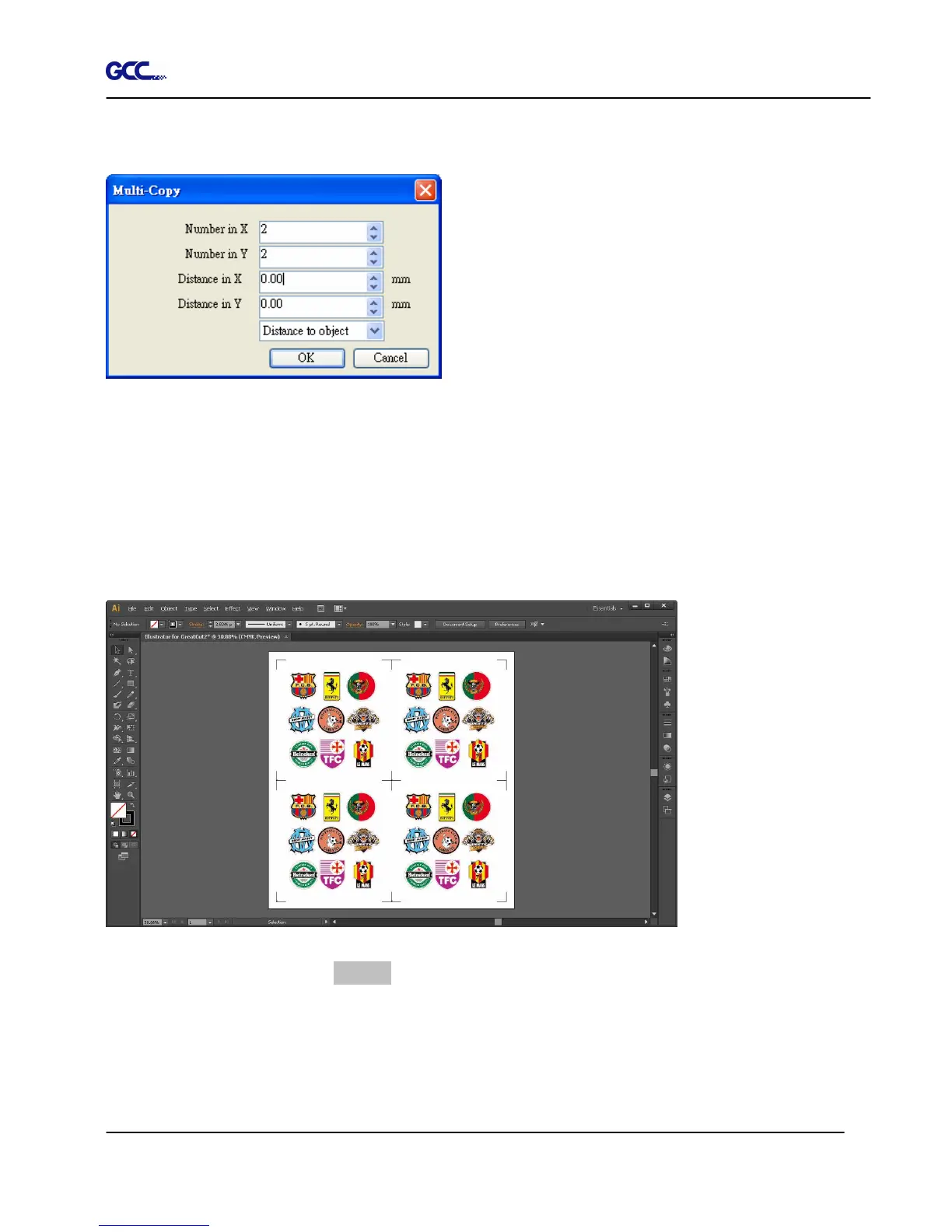
Complete the Number in X/Y (the number of copies desired on the X/Y axis) and Distance in X/Y
(distance between each copy) settings then click OK.
Note: The spacing of vertical & horizontal (Offset X & Y) should be ≥ 20mm or = 0mm; users are
advised to set the Distance in X/Y as 0 mm to remove the space between each copy to avoid the
waste of materials.
The system will create several copies of the object with registration marks as shown in the picture
below.
Follow the same steps in the Output section to output your image to GCC Cutting Plotter.














 To Next Page