Puma II User’s Guide 2-18
2.8 Power On
Be sure not to put anything or hands on the platen of the
plotter when turning on the power. It may cause injury.
Keep long hair away from the grid drum when power is on..
Turn on the power on the left-hand side of the cutting plotter and the POWER LED is on.
Notice: It will take about 10 sec to initialize the machine, the cutting
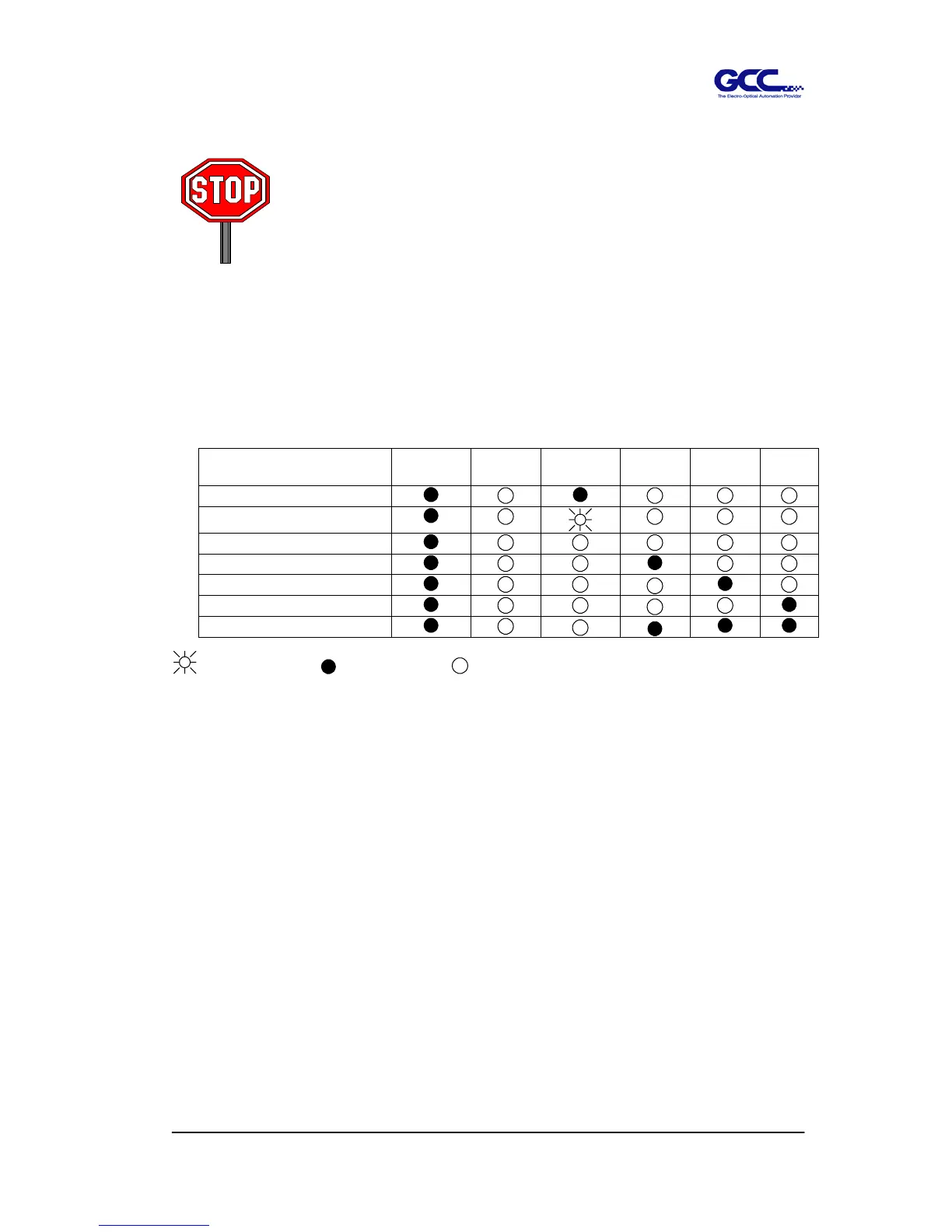
plotter is ready to receive data from computer. As bellowing is control panel lights when
uses different functions key in normal conditions.
Function
POWER ERROR ON/OFF
LINE
REPEAT DATA
CLEAR
CUT
TEST
on-line state
pause state
off-line state
repeat
data clear
cut test
origin set
= flash = on = off



 To Next Page