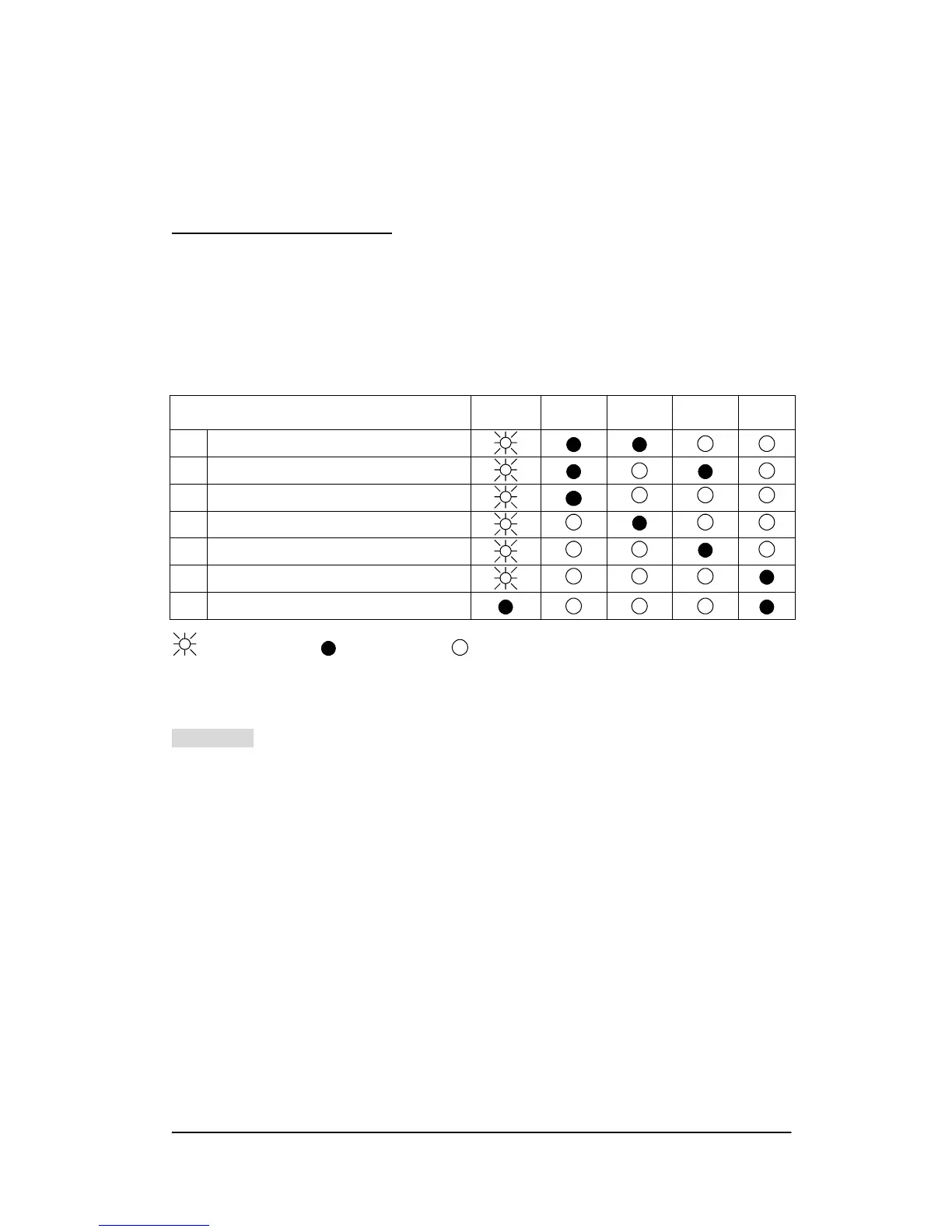
When your cutting plotter stops operating or the lights are on or flashing unexpectedly,
see the following descriptions of panel light patterns and actions you should take.
6.2.1 Warming Indicators
When the ERROR LED flashes (as show below), take the necessary action according
to respective instruction below. If the problems are solved, the ERROR LED will turn
off automatically. Press ON/OFF LINE key once can also turn off the ERROR LED.
Warming Indicators ERROR
ON/OFF
LINE
REPEAT DATA
CLEAR
CUT
TEST
1 Graph was clipped
2 HPGL/2 command Error
3 Lever up or no media
4 Cannot repeat
5 Communication error
6 Width sensor error
7 Check media, drum or X motor
= flash = on = off
Warming 1. The graph is clipped
This condition indicates that the cutting graph exceeds the cutting limit.
You can solve the problem by
1. reload the larger media
2. move the pinch roller to have larger cutting width
3. re-scale the plot to a smaller size. Then do the cutting job again from your
computer.
Puma II Users Manual 6-2



 To Next Page