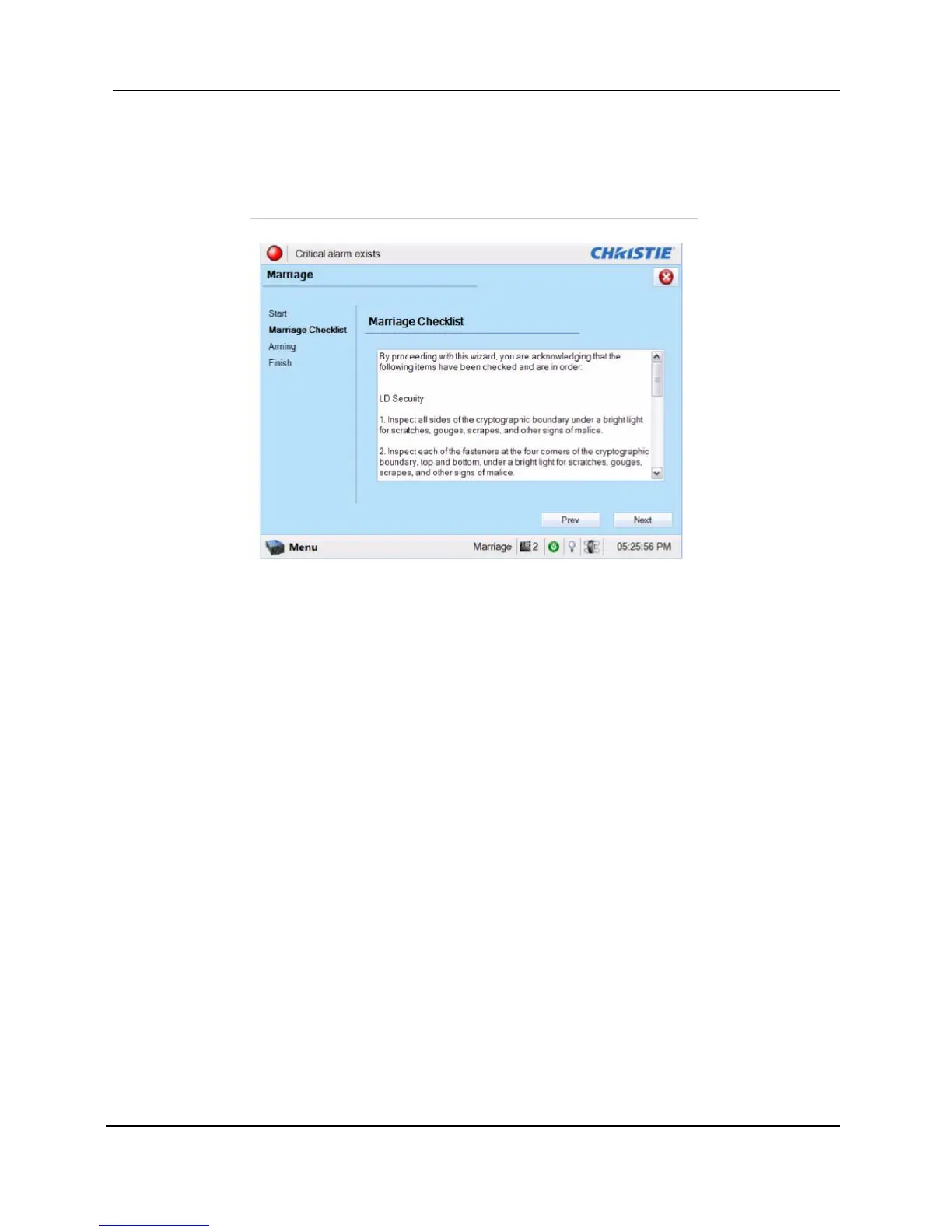
b. Read and perform the actions listed in the Marriage Checklist. In the Marriage Checklist
window (see Figure 32), the system checks that all tamper switches are secure and lists
items that you must check to ensure the projector is secure before proceeding. Click the
[Next] button to proceed to the Arming window.
Figure 32 Marriage checklist
c. Arm the marriage. In the Arming window, click the Arm Marriage button (refer to Figure 33).
A 30 second count-down timer begins. The LED in the Marriage button on the PI Board will
flash green during this count-down. You MUST press the Marriage button on the PI Board
within this 30 second window in order for the marriage to take effect. When the Marriage
button is pressed, the LED button will change to a solid green to indicate a successful
marriage



 To Next Page