EasyManua.ls Logo

GDC SA-2100A - Page 31

Default Icon
40 pages
Print Icon
To Next Page IconTo Next Page
To Previous Page IconTo Previous Page
Loading...
9. SERIES 2 PROJECTOR SETUP
May 18, 2016
31
HFR UPGRADE MANUAL
FOR SX-2001/SA-2100(A/T) TO SX-000(A/T)R
DIGITAL CINEMA SERVER WITH
INTEGRATED MEDIA BLOCK
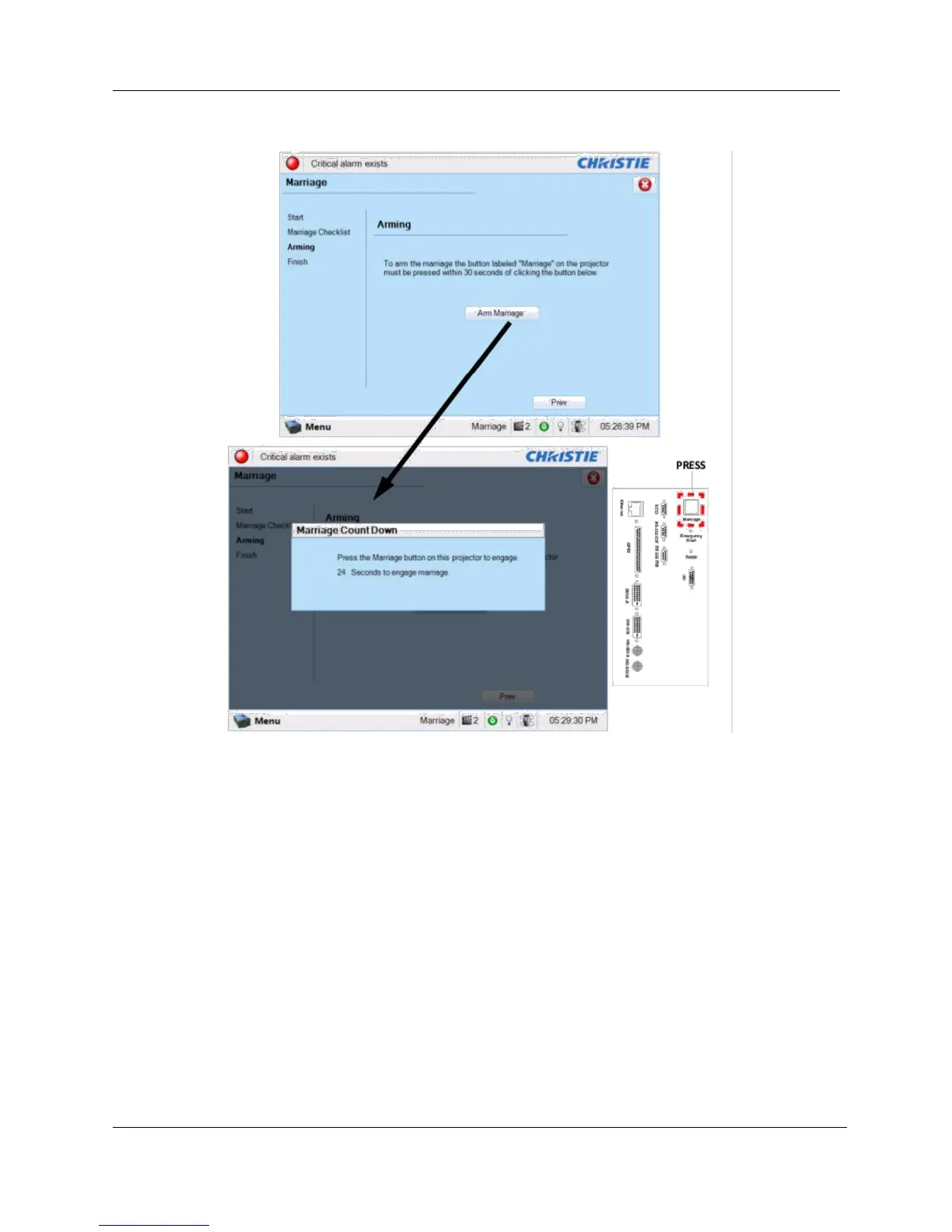
Figure 33 Arm Marriage and Marriage countdown
d. The Finish window states the success of the marriage. Click the Finish button to
return to the Main panel.
2. Clear the Service Door/Marriage Tamper on the server.
All 3D IMB channels on the Christie Series 2 projector should use the ‘IMB’ input and ‘4:4:4
(RGB)’ input data format (see Figure 34).

Table of Contents

Related product manuals