– 14 –
MyPlate.gov Feature
PVM1970, PNM1971
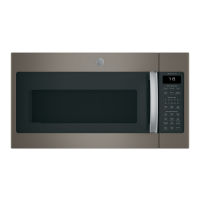
DVM1950, JNM1951,
JVM1950
Cook
Defrost
Settings
Timer
Popcorn
Reheat
Snacks
Soften
Steam
Family
Cancel
The Myplate.gov feature allows you to microwave healthy food choices by servings with Sensor Cooking.
1. Press MyPlate.gov pad.
2. Enter the food group (See Cooking Guide for MyPlate.gov.) code or check the display for the food group.
3. Enter the type (See Cooking Guide for MyPlate.gov.) code or check the display for food types.
4. Enter the amount as prompted for food type selection.
5. Press Start.
(Continued next page)
DVM1950, JNM1951, JVM1950, PVM1970, PNM1971
PVM2170
1. Press MyPlate.gov pad.
2. Turn the dial to display the food group you want (See Cooking Guide for MyPlate.gov.) press the dial
to select.
3. Turn the dial again to display the specifi c food you want, then enter the amount, if prompted.
4. Press dial to select.
5. Press the dial or the Start/Pause button to begin cooking.
PVM2170
21 3
54 6
87 9
0
ADD
30 SEC
POWER
LEVEL
START
PAUSE
CANCEL
OFF
SETTINGS
TIMER
on/off
TIME
COOK
DEFROST
STEAM
POPCORN BEVERAGE
FAMILY
SNACKS
POTATO
MELT
REHEAT
TIMER
on/off
SETTINGS
ADD
30 SEC
START
PAUSE
CANCEL
OFF
DEFROST
BACK
COOKING
MENU
T
U
R
N
T
O
S
E
L
E
C
T
P
R
E
S
S
T
O
E
N
T
E
R
STEAM
FAMILY
SNACKS


 To Next Page