15
Charging Battery
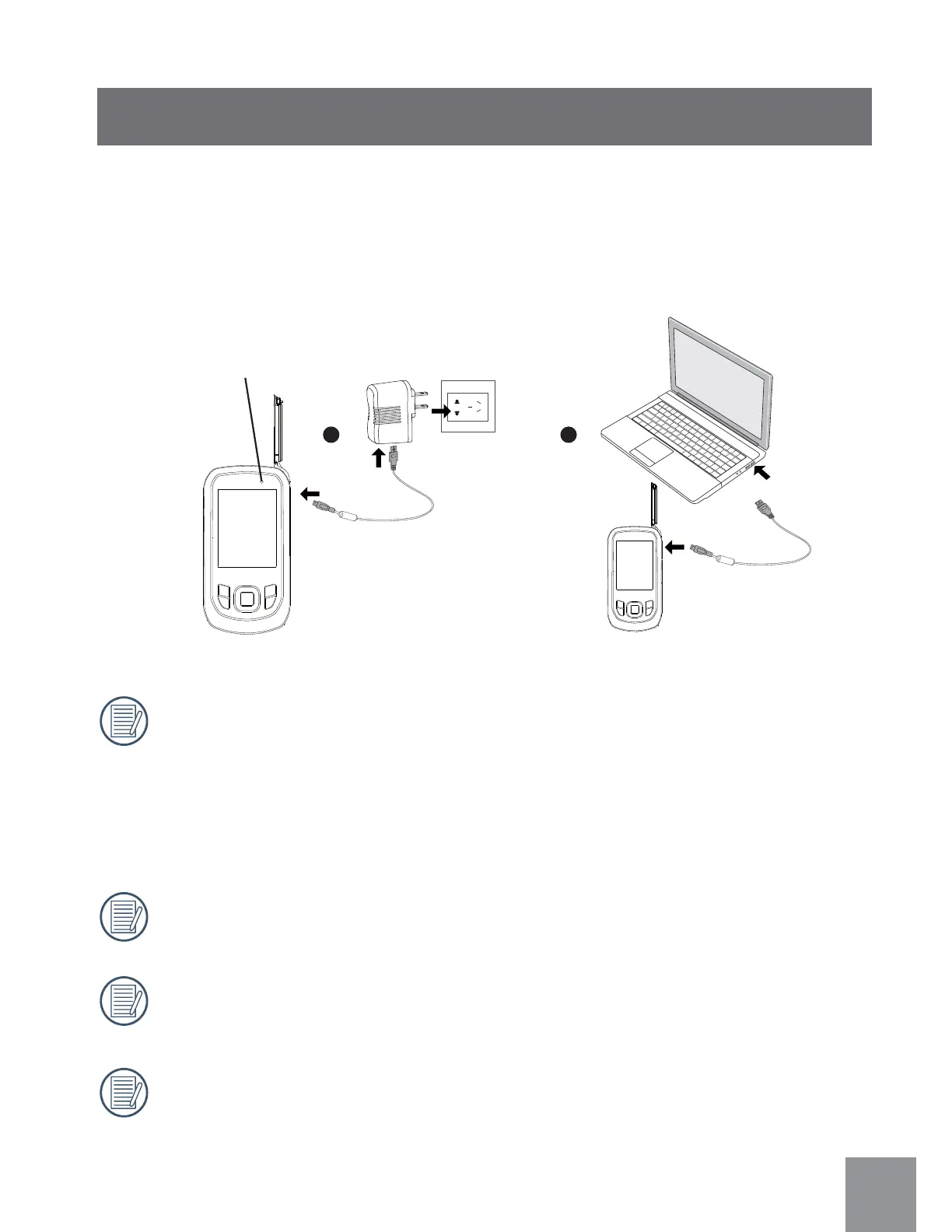
This video camera can be charged by the following two methods:
1. Use the USB cable to connect the video camera with the adapter see figure
ᢳ
;
2. Use the USB cable to connect the video camera to your computer see figure
ᢴ
;
Charging Indicator:
Red: Charging
Green: Charging complete
To ensure maximum battery life, charge the battery for at
a minimum of 4 hours the first time.
Charge battery only when the video camera is turned off.
Only charge the battery indoors between 0°C and 40°C.
If the battery is stored for a long period of time, use the supplied power
charger to recharge the battery prior to use.
1 2
Power indicator



 To Next Page