EasyManua.ls Logo

GE DVZ - Resetting Language; Accessing Language Menu; Selecting New Language

GE DVZ
64 pages
Print Icon
To Next Page IconTo Next Page
To Previous Page IconTo Previous Page
Loading...
18
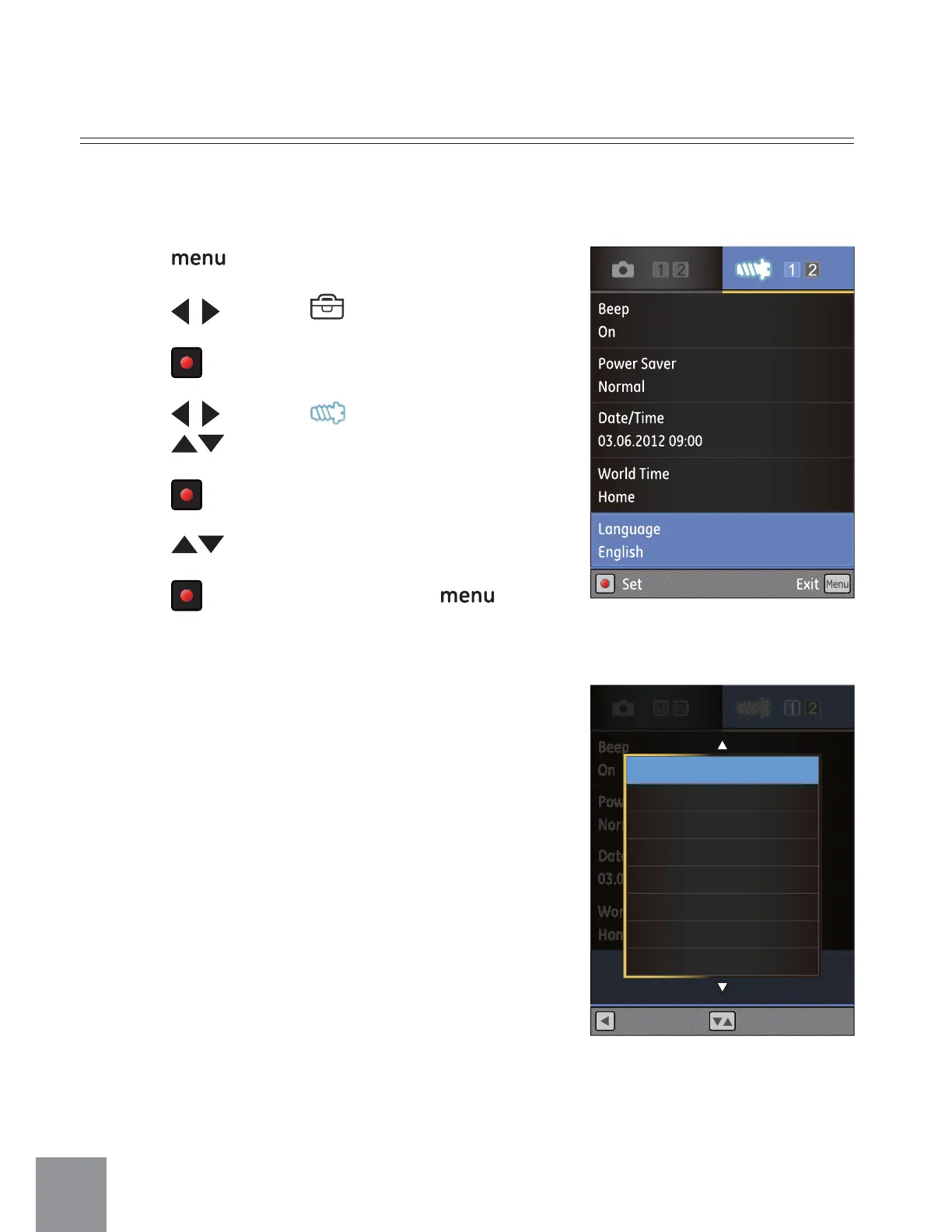
Resetting your Language
After you set the language for the first time, follow the instructions below to reset
your language.
1. Press
button to enter Func menu.
2. Press
to select menu.
3. Press
button to enter Setting interface.
4. Press
to select menu;
Press
to select
ȶ
Language
ȷ
option.
5. Press
button to enter Setting interface.
6. Press
to select language.
7. Press
button to confirm, press
button to return to shooting screen.
Beep
On
Power Save
Normal
Date/Time
03.06.2012 09:00
World Time
Home
Language
English
Select
L
anguag
e
E
n
gl
is
h
Back
English
Français
Español
㷼ᄙⱥ
Italiano
ᖅᡝϛМ
ᙏᡝϛМ
Рҏᇭ

Table of Contents

Related product manuals