40 PMCS Interface Toolkit
System Statistics Wizard
Usage
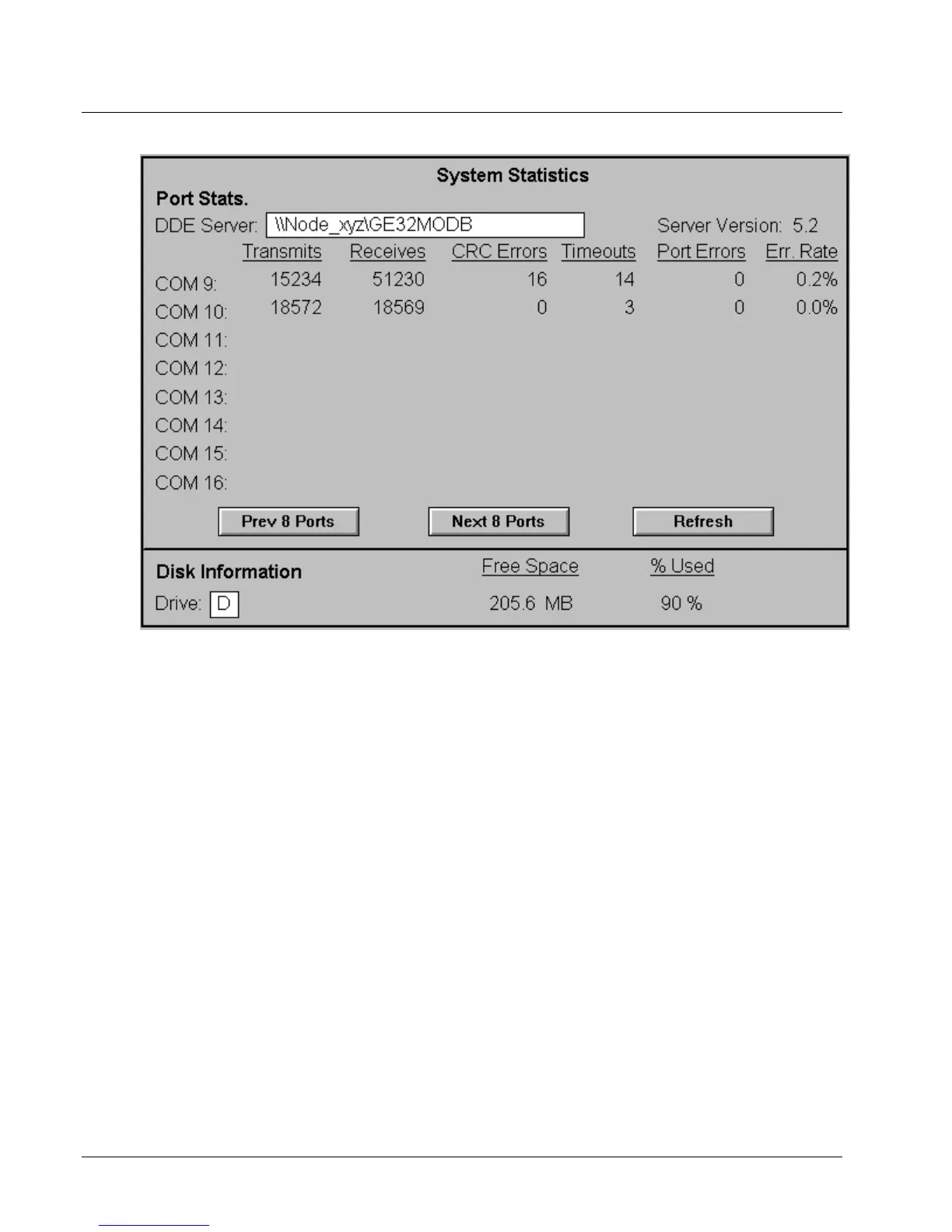
The System Statistics wizard is an informational tool which allows the user to view
detailed statistics about the system, including port information from the DDE Server
and disk information.
The wizard consists of a single screen displaying Port Statistics on the top portion
and disk information on the bottom. Statistics on up to eight COM ports are
displayed. The user may page forward or backward eight ports at a time by clicking
the Prev 8 Ports or Next 8 Ports button.
Whenever a new DDE Server name is entered, the user must click the Refresh button
to update the DDE links to correspond to the new parameters.
Configuration
When the wizard is dropped, the following dialog box appears:



 To Next Page