Chapter 2. Operation
32 moisture.IQ User’s Manual
2.3 The Help Button
In the main menu on the right side of the measurement display screen and on every other moisture.IQ
programming screen, a Help button is available to provide the user with detailed information on that specific
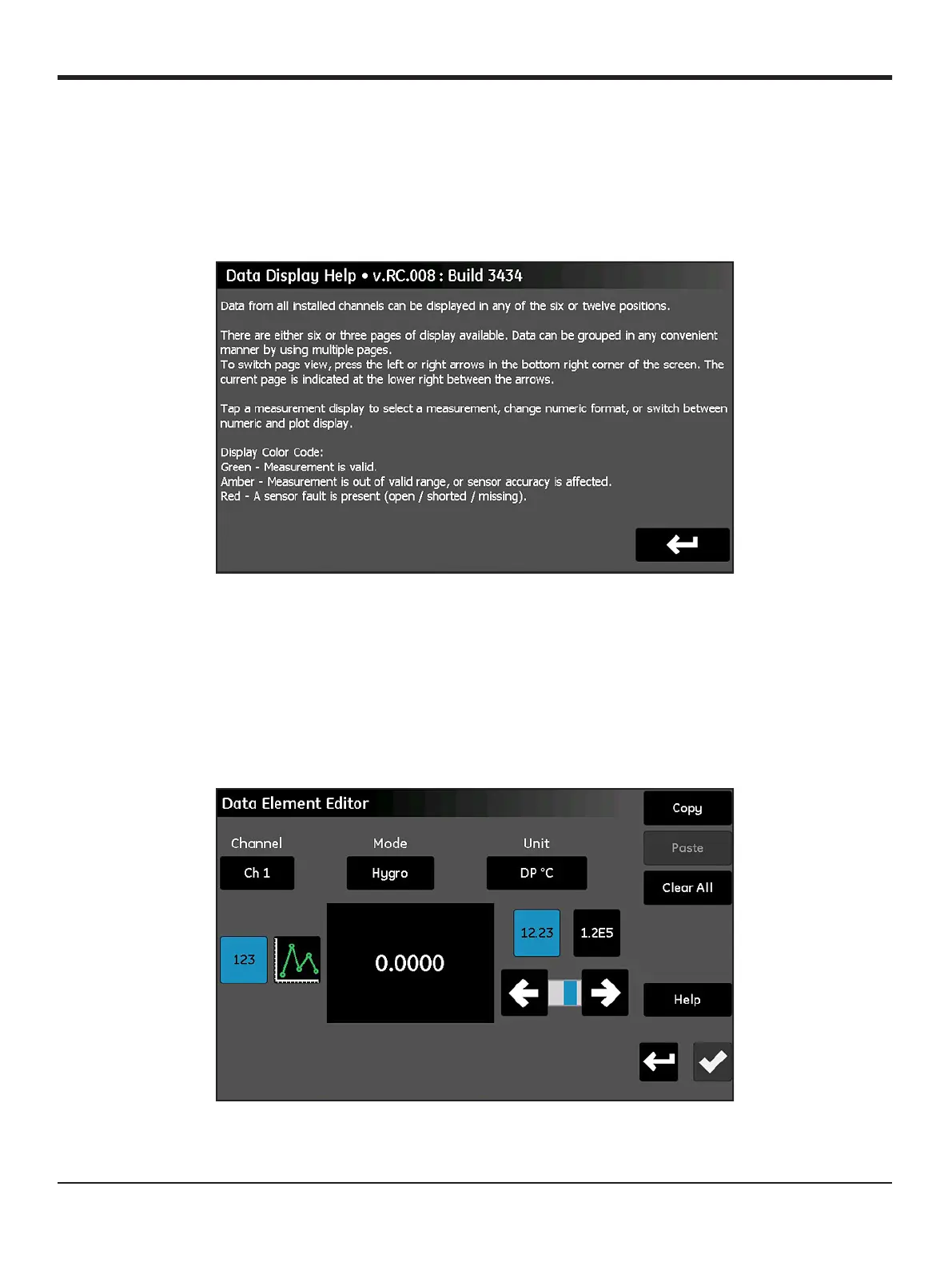
screen or menu option. A sample Help screen from the Probe Configuration menu is shown in Figure 28
below.
Figure 28: Data Display Help Screen
To access the context-sensitive help information for any screen, just tap the
Help button on that screen.
2.4 The Data Element Editor
The display of any of the 36 data measurements available from the main screen may be individually configured
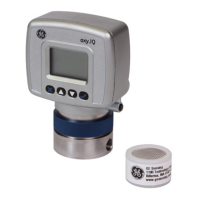
by tapping on the desired measurement display. This will open a Data Element Editor screen similar to that
shown in Figure 29 below.
Figure 29: The Data Element Editor Screen


 To Next Page