moisture.IQ User’s Manual 65
Chapter 5. Using the Configuration Menu
5.1.4 Setting the Probe Auto-Cal Schedule
To set the frequency with which the probe Auto-Cal function is run, proceed as follows:
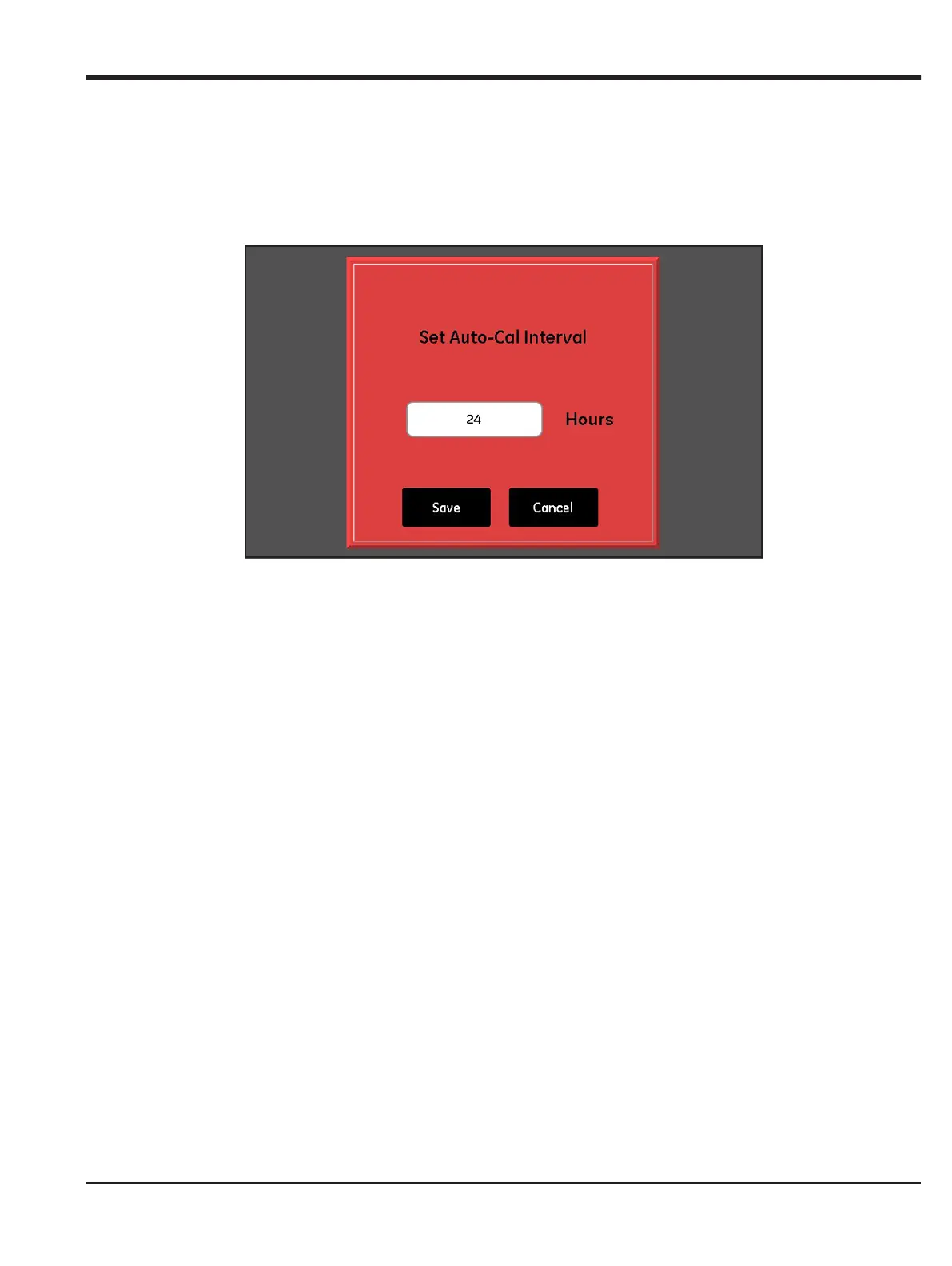
1. From the Probe Configuration screen, tap Auto-Cal Setup button to access the Set Auto-Cal Interval
screen for the desired probe (see Figure 57 below).
Figure 57: Set Auto-Cal Interval Screen
2. Enter the desired number of hours (1 - 730) between Auto-Cal runs.
3. Tap the
Save button to enter the new value into the moisture.IQ, or tap the Cancel button to retain the
previous value.


 To Next Page