moisture.IQ User’s Manual 75
Chapter 6. Setting Up Communications
Chapter 6. Setting Up Communications
6.1 Setting Up moisture.IQ Communications
The Comms section of the Configuration Menu is used to set up all communications for the moisture.IQ (see
Figure 79 on page 112). It includes the following options:
• Serial Port (see “Configuring the Serial Port” below)
• Modbus (see “Configuring the Modbus Connection” on page 76)
• TCP/IP (see “Connecting to an Ethernet LAN” on page 77)
• VNC (see “Configuring a VNC Connection” on page 82)
• Web Server (see “Configuring the Web Server” on page 83)
• User Management (see “User Management Operations” on page 84)
6.2 Configuring the Serial Port
IMPORTANT: For proper communications, the serial port settings for the moisture.IQ must be the same as those
for the device connected to the moisture.IQ serial port.
To configure the moisture.IQ serial port, complete the following steps:
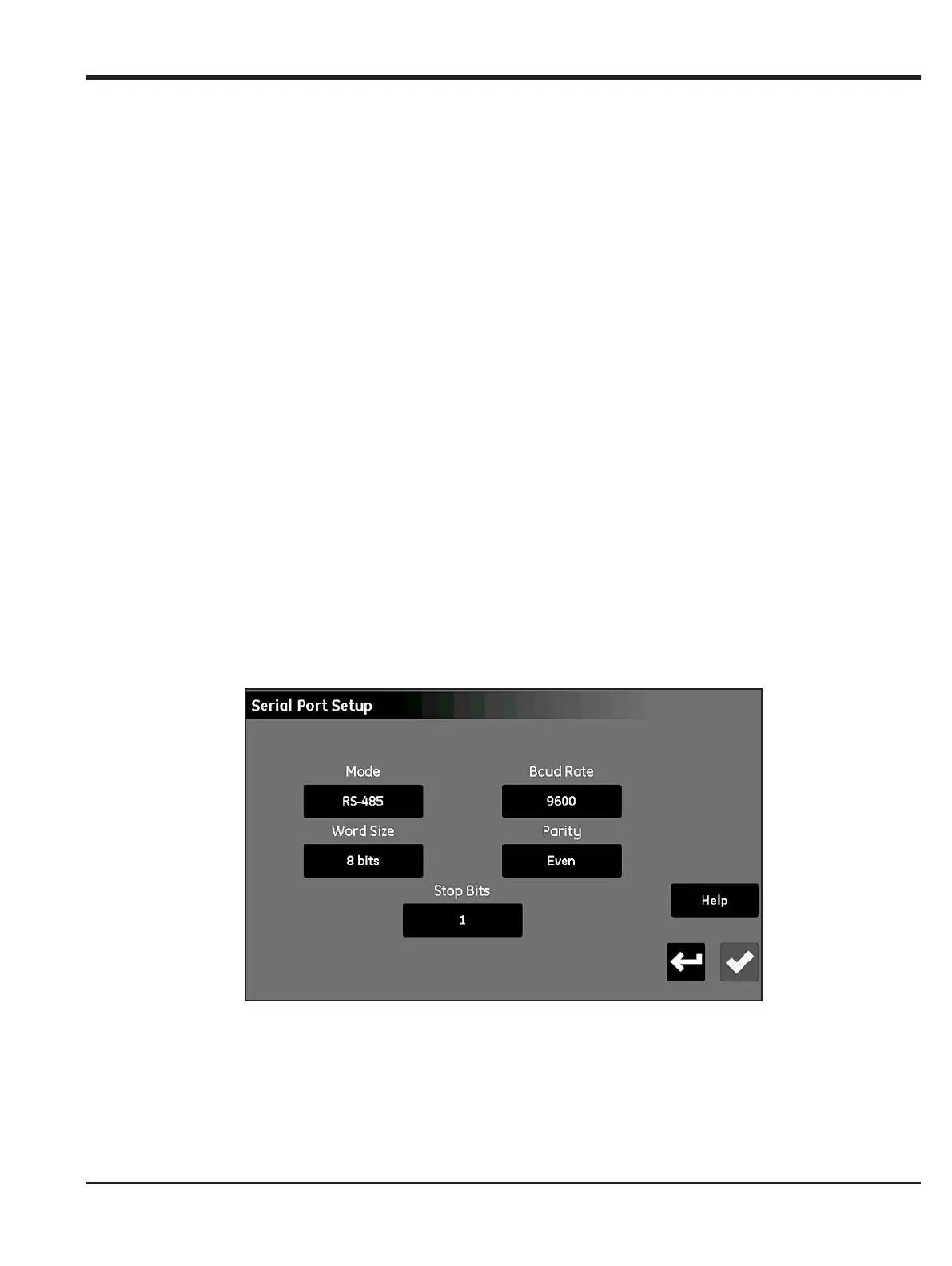
1. From the Configuration Menu screen (see Figure 52 on page 59), tap the Serial Port button to open a
Serial Port Setup screen similar to Figure 67 below.
Figure 67: Serial Port Setup Screen
2. Tap the
Mode button and select either RS-232 or RS-485 from the drop-down list.
3. Tap the Baud Rate button and select either 9600, 19200, 38400, 57600 or 115200 from the drop-down
list.


 To Next Page