Installation 2
Monitor UV-900 User Manual 18-1120-05 Edition AF
13
Connect two UniNet cables to the UniNet-1 connectors. The inst rument can be
connected in series anywhere in t he chain between the PC and the termination
plug. The UniNet-1 link connects, in series, the PC with Pump P-905,
Monitor pH/C-900 and Monitor UV-900. The termination plug is connected to
the last instrument in the chain.
2.6 Connecting to supply voltage
1 Make sure the on/off switch is in the OFF position (
O
).
2 Connect a mains cable between the instrument and a grounded mains
socket. The instrument is deliver ed with both European and US type mains
cables, as standard. Any voltage 100–240 V AC, 50–60 Hz, can be used.
The instrument contains no user replaceable fuse.
2.7 Connecting the tubing
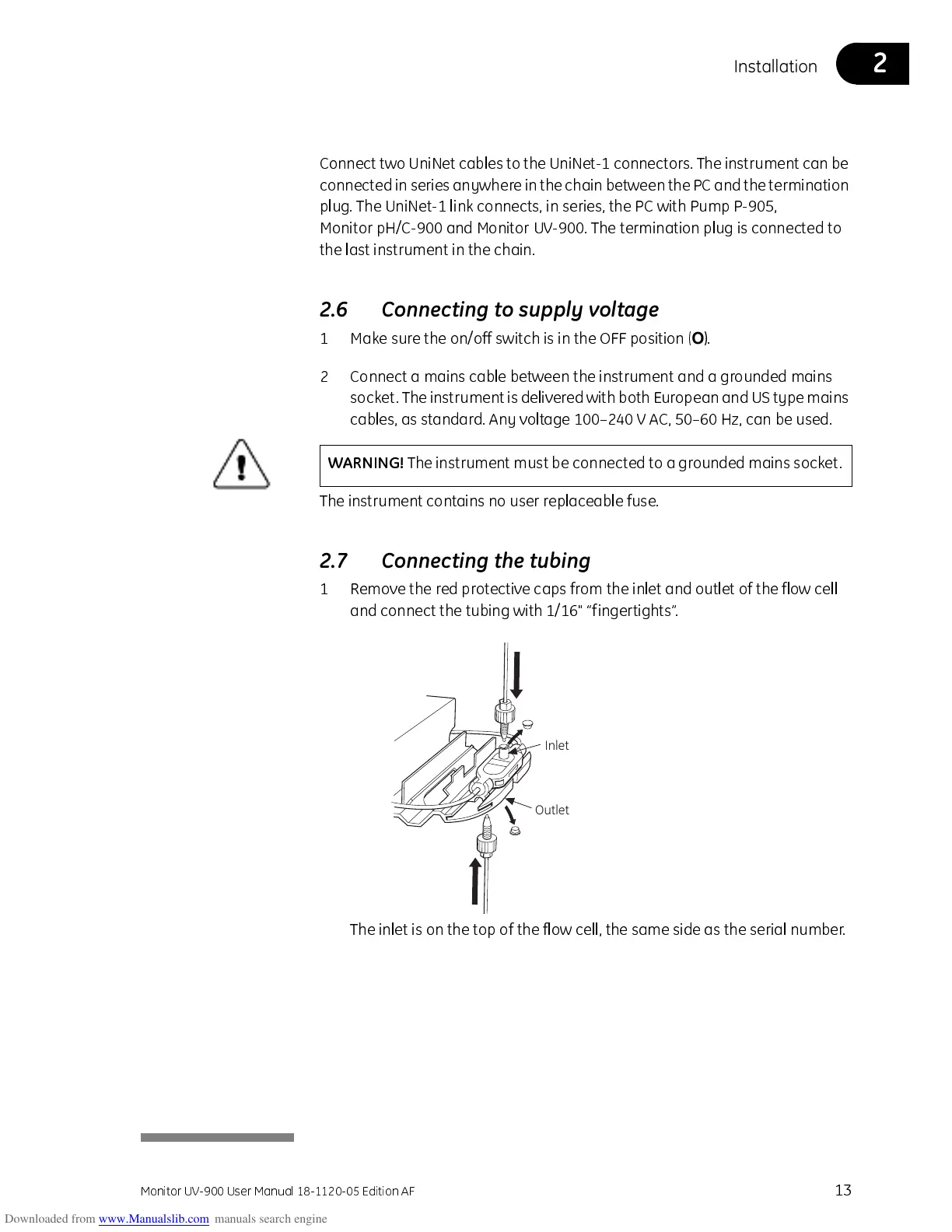
1 Remove the red protective caps from the inlet and outlet of the flow cell
and connect the tubing with 1/16" “fingertights”.
The inlet is on the top of the flow cell, the same side as the serial number.
WARNING!
The instrument must be connected to a grounded mains socket.
Inlet
Outlet



 To Next Page