PROTEUS XR/a
GE MEDICAL SYSTEMS Operator Manual
REV 11 DIRECTION 2259724-100
7-6
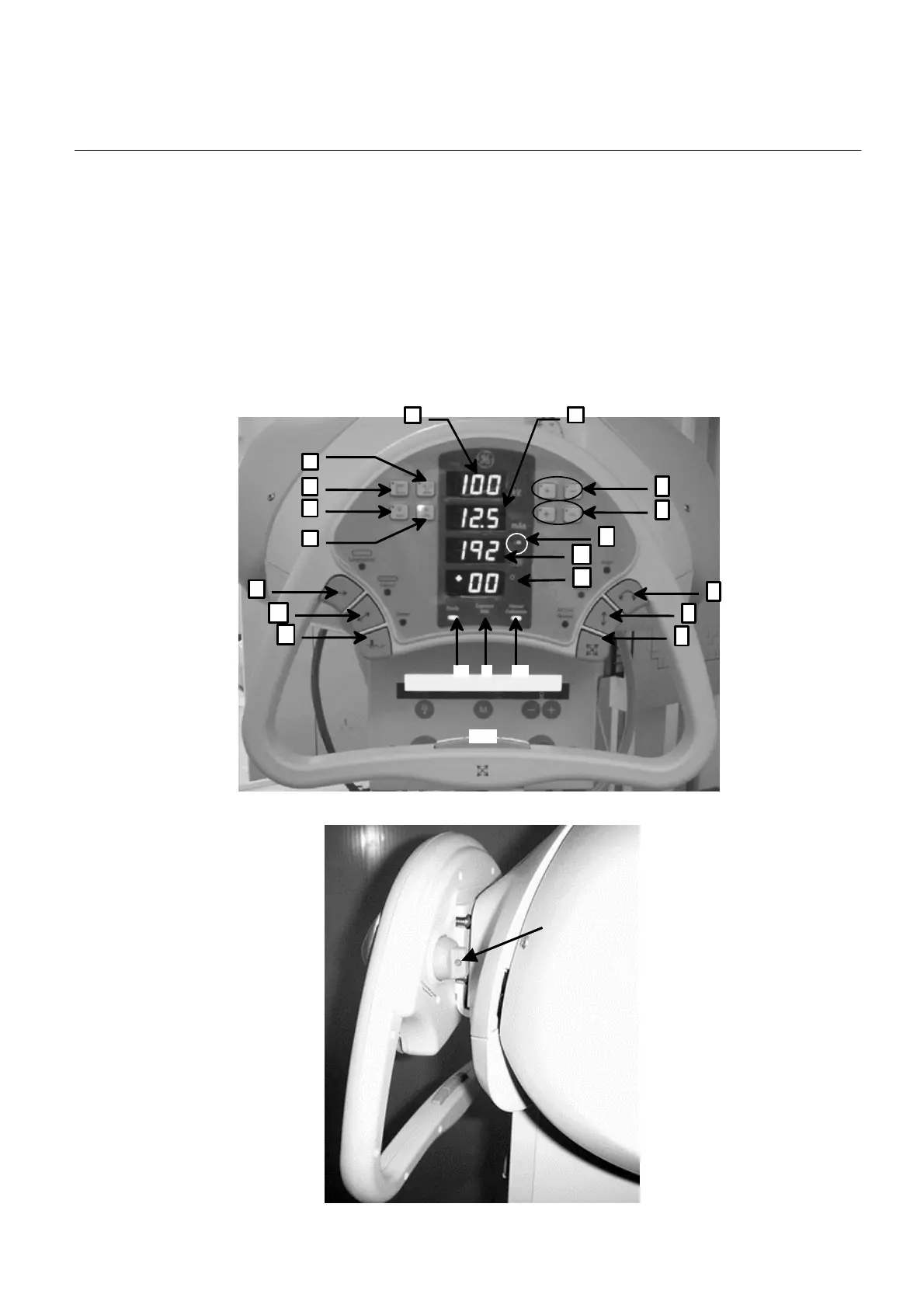
7-5 Over Head Tube Suspension User Interface
The in-room user interface allows the operator to make receptor type, kV and
mAs selections without returning to the System Console. Positioning of the X-ray
tube can be performed with one or two-hands. The locks and lock releases on
the user interface make positioning the X-ray tube easy.
Note: Changing exposure parameters or receptors on either system console or
OTS console will result in a same change to both consoles.
ILLUSTRATION 7-7
OTS CONSOLE
3
4
8
9
10
13
14
12
17
16
15
19
20
18
21
1
2
5
6
7
11
22
FOR TRAINING PURPOSES ONLY!
NOTE: Once downloaded, this document is UNCONTROLLED, and therefore may not be the latest revision. Always confirm revision status against a validated source (ie CDL).


 To Next Page
 Loading...