Back End Processor (BEP)
Vivid E80/E90/E95 – Service Manual 5-35
GC091052 Rev. 3
Outside the EMC enclosure house
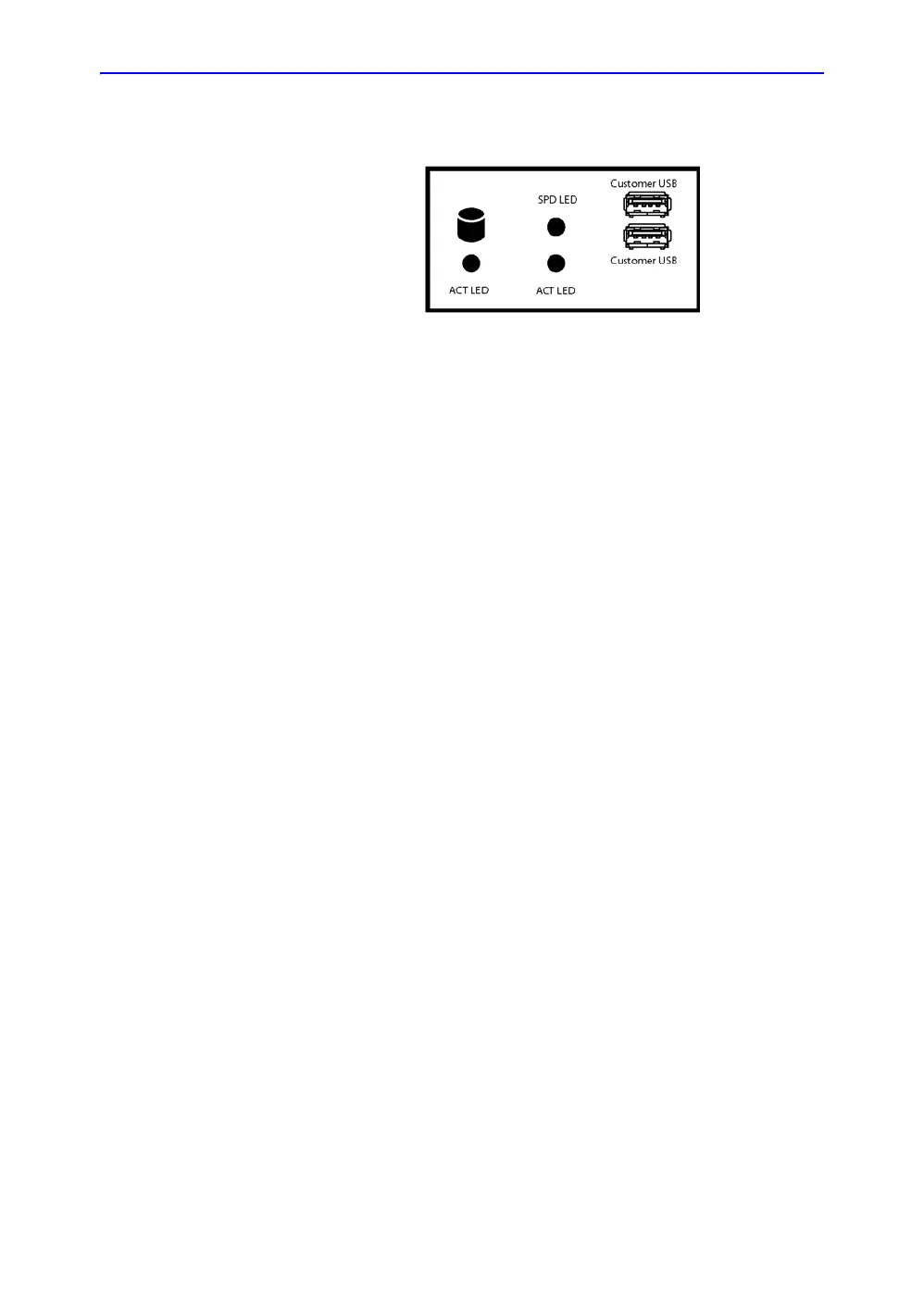
Figure 5-18. BEP Front Panel
• Front Panel with:
• status light (LED) for hard disk activity
• status lights (LEDs) network speed (upper LED) and
network activity (lower LED)
• two USB ports
• Patient I/O with AUX, Phono and ECG connectors
• BEP I/O board (available from the BEP’s outside)
BEP’s side connectors
Connectors on the BEP’s side:
• J21: Upper LCD Video Out
• J6: Digital Audio Out
• J22: A/V Out
• Test Connector
• J7: USB - Operating Panel buttons
• J28: USB - XYZ Motor Controller
• Spare USB
• J26:USB - BW printer
• Spare USB
• J4: USB - Main Power Supply
• Spare USB
• Spare USB
• J3: SATA1 - DVD
• J2: SATA - Spare


 To Next Page