11
Navigation
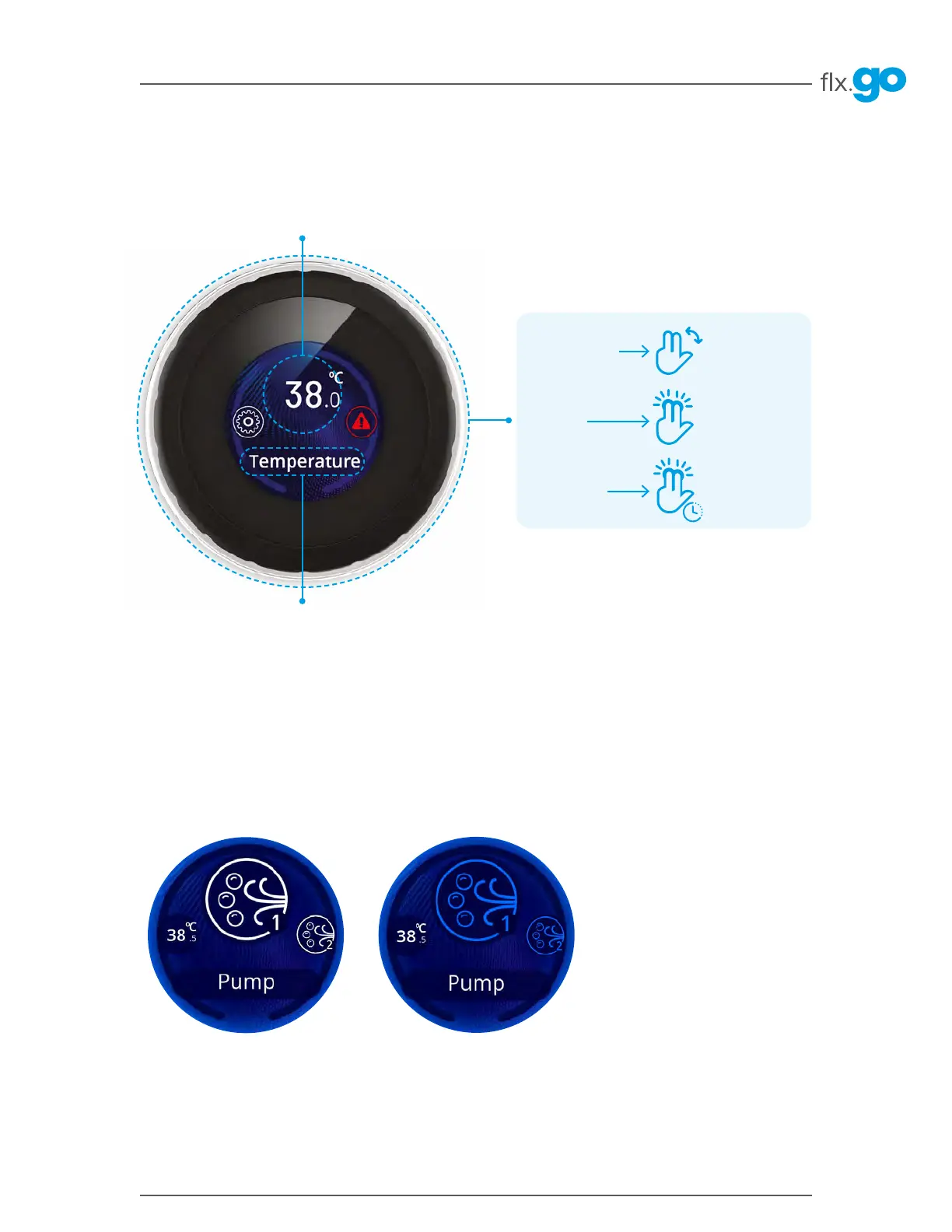
Start and stop accessories
Keypad functions
Change selection
Select icon
Return to sleep
mode screen
Turn the dial ring
left or right
Press the dial ring
Long press on
the dial ring
Currently selected icon name
Currently selected icon
The main screen gives you access to your features (pumps, lights and more), temperature (set point), errors
and settings�
To scroll through the carousel or list menus, simply turn the flx�go dial ring left or right�
To start or stop an accessory, turn the knob to the associated icon/menu and press the flx�go� Icons will become
animated and turn blue (yellow for light icon) when their accessory is turned on� Animation will stop when turned off�
Icons on the screen will reflect the speed or state of the devices running on your hot tub� When an accessory has more
than one speed, press the flx�go one more time to reach the second speed�



 To Next Page