30
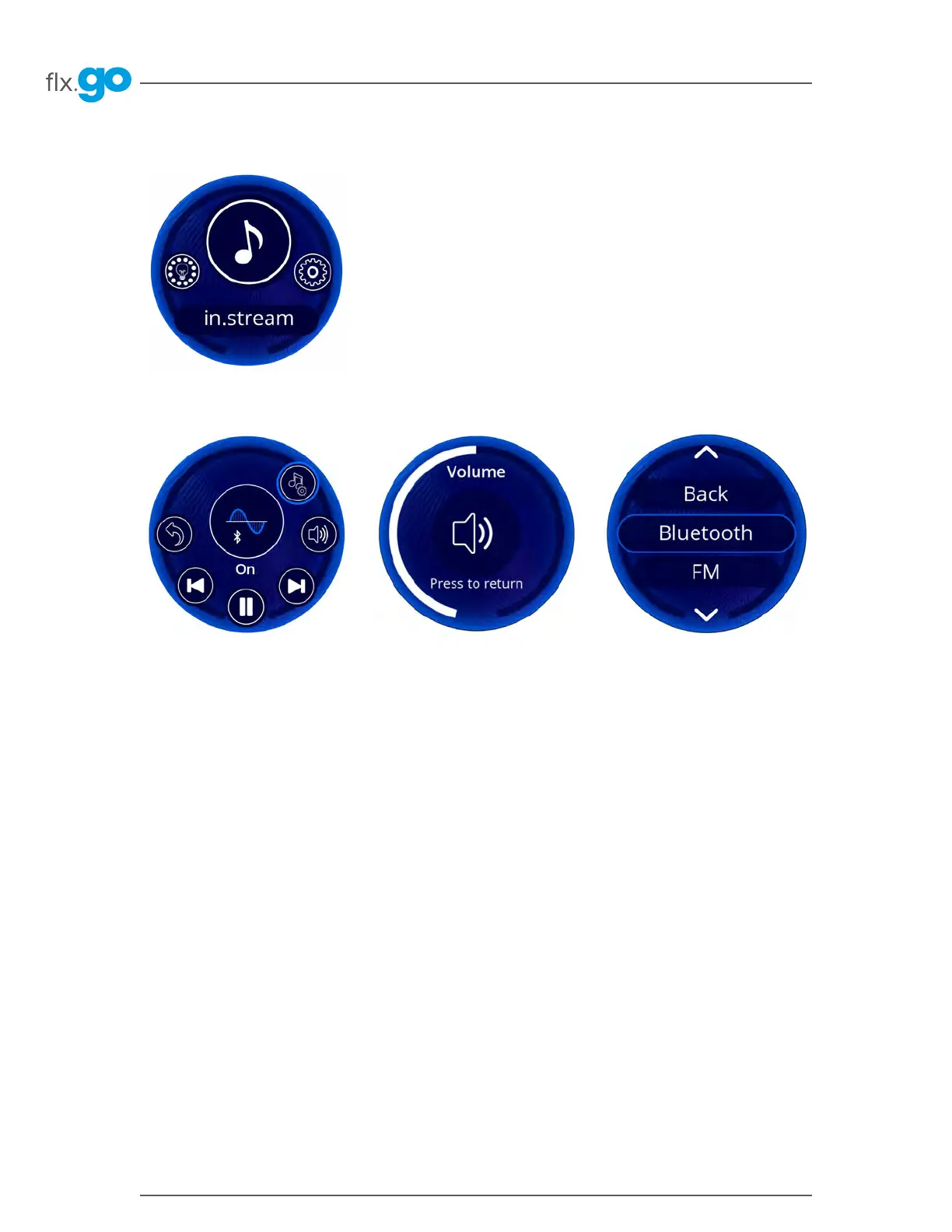
in.stream 2 functions
Only available if the system detects a connected in. stream 2 audio station.
The audio section lets you control active audio sources� Note that only functions
applicable to the selected source will be available� From this section, you can
access the following options:
- Sound signal control
- Volume control
- Audio source selection
To select one of the functions, rotate the wheel until the icon of the desired
function is surrounded by a blue ring� For more information on the in� stream 2
audio station, please refer to the in� stream 2 techbook�
Sound signal control
In the in� stream's main menu, the
center indicates if a source is playing
and which source is selected� You
can change song or frequency, as
well as pause or start the music�
Audio sources
To change the audio source, turn the
wheel to scroll through the different
sources and press the desired one�
Note that all sources installed on the
in� stream 2 audio station will appear
on the screen�
Volume adjustment
Turn the wheel to adjust the volume�
When the sound is at its lowest, it will
be muted�



 To Next Page