15
Settings
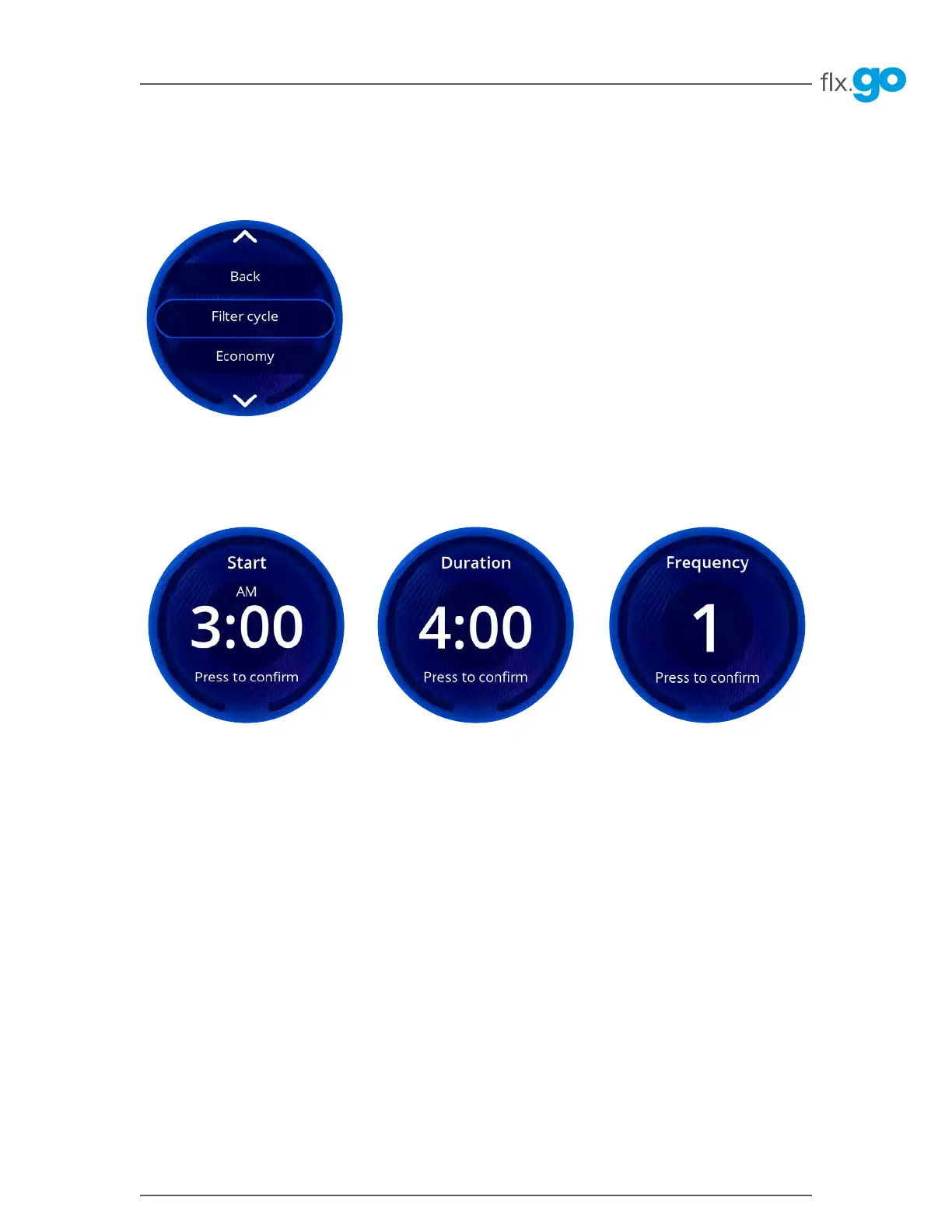
Filter cycle*
To program the filter cycle, you must enter these settings: Start time, Duration and Frequency� Once you have
confirmed, you will be brought back to the Settings menu�
Start:
start time of first filtration
Duration:
duration of the filter cycle
Frequency:
number of times the filter cycle is
executed during a day
For example, if you set the start time at 8:00, duration at 1:00 and frequency at 4, the hot tub will filter the water for one
hour at 8 AM, 2 PM, 8 PM and 2 AM for a total filtration time per day of 4 hours�
During a filter cycle, pumps run for one minute to purge the plumbing� Then the main filtration pump, most likely
Pump 1, runs for the programmed number of hours�
*This section only applies if the in.touch app option was not purchased



 To Next Page