17
Settings
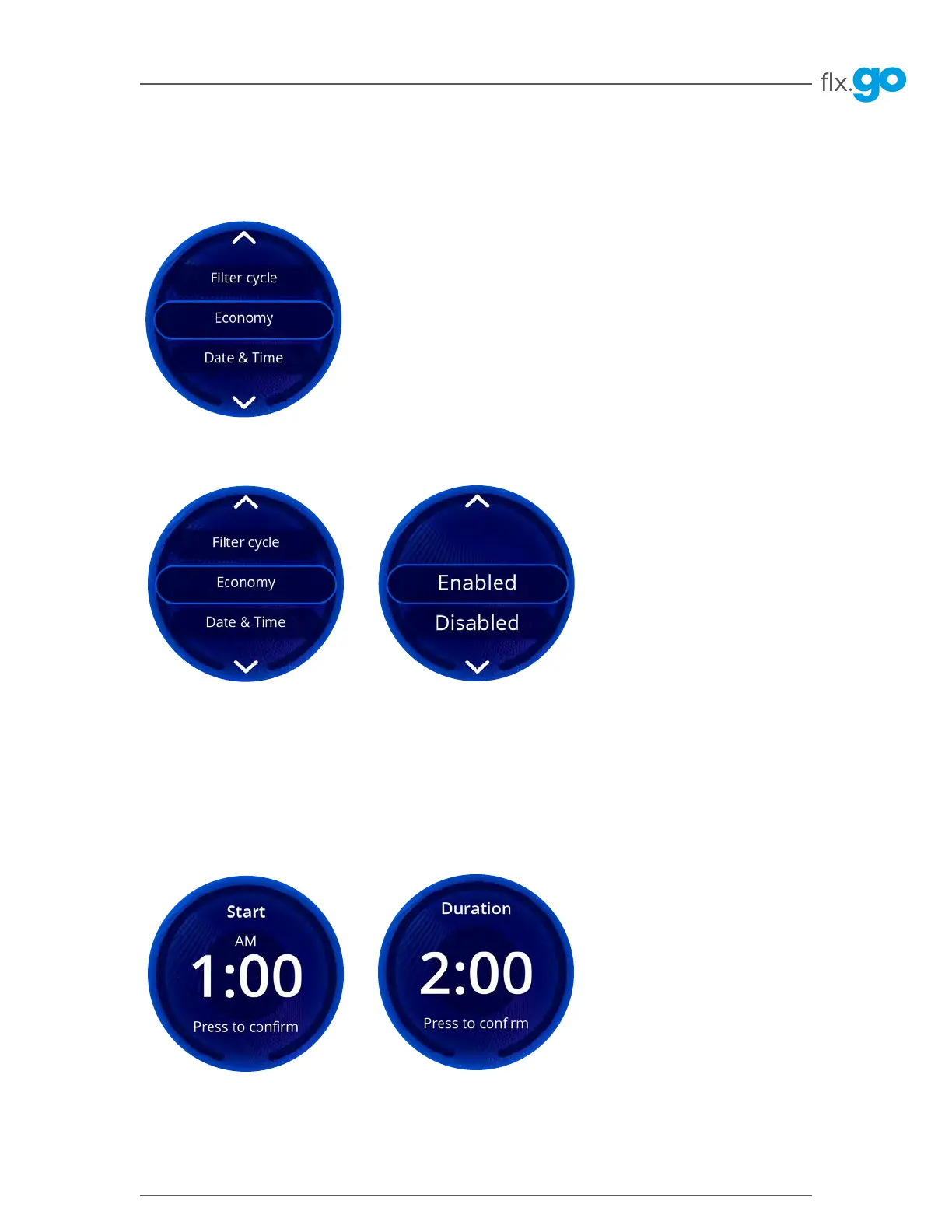
To program the economy mode, you must enter the following settings: Start time and Duration�
Once confirmed, you will be brought back to the Settings menu�
This mode allows you to lower the temperature set point of the hot tub by 20°F (11°C) during a specified period of the
day to save energy� This means that the heating system will not be enabled unless the temperature falls to 20°F
below the hot tub’s set temperature For example, if your set point is at 100°F and you scheduled the hot tub to be
in economy mode from 10 PM to 8 AM, the hot tub will let the water temperature drop to 80°F and keep it at this
temperature until it exits the economy mode at 8 AM� The water will heat back to 100°F� Note that the displayed set
point remains the same (100°F) while in economy mode, but a green leaf is displayed on the sleep mode screen�
Turn the knob to the desired status: Enabled or Disabled� Press the flx�go to validate the choice�
Economy*
To select an item, turn the knob left or right until the desired menu is highlighted in the middle and press on the flx�go�
*This section only applies if the in.touch app option was not purchased



 To Next Page