31
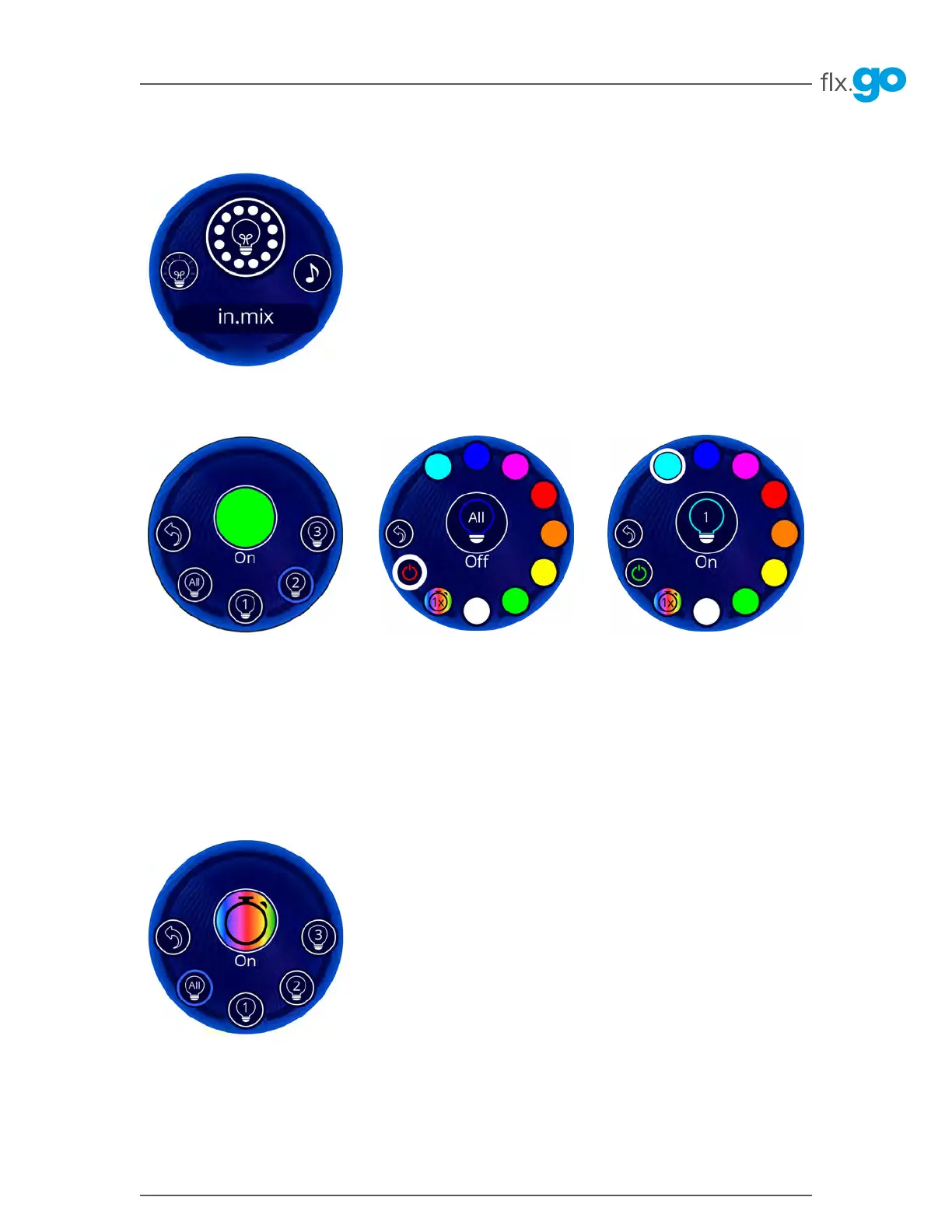
in.mix functions
This menu is only available if an
in�mix is detected in the hot tub
accessories� It allows you to select
the color of each zone separately or
simultaneously�
Selection of a zone
To select a zone, turn the wheel until
the desired icon is surrounded by a
blue ring and press� This selection
takes you to the desired zone menu�
Color change
Once an area has been selected, use
the color wheel to select the color,
or the rainbow icon for the color-
changing effects�
Zone synchronization
If you wish to have all 3 zones in the
same color, select the desired color
from the All sub-menu�
Start/Stop
There are two ways to switch the
in�mix on or off� The first is to use the
power icon in the All sub-menu� The
other is to use the power for each
zone separately�



 To Next Page