EasyManua.ls Logo

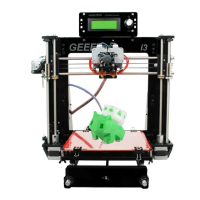
Geeetech Prusa I3 pro W - User Manual

Geeetech Prusa I3 pro W
35 pages
Print Icon
To Next Page IconTo Next Page
Loading...
Geeetech Prusa I3 pro W
User Manual

Other manuals for Geeetech Prusa I3 pro W

Question and Answer IconNeed help?

Do you have a question about the Geeetech Prusa I3 pro W and is the answer not in the manual?

Summary

Geeetech Prusa I3 pro W User Manual

Safety Instructions

Software Resources

Driver

Install the motherboard driver for connecting the printer to the computer via USB.

Arduino IDE

Information about Arduino IDE for 3D printing software.

Hotbed Leveling

Homing

Home the printer by clicking the designated icon in the software.

Coarse Tuning of Nozzle-Hotbed Distance

Adjust nozzle-to-hotbed distance using screws for optimal print adhesion.

Fine Tuning

Fine-tune nozzle-to-hotbed distances at corners using paper for calibration.

Print Settings

Quick Mode

Choose pre-defined print quality settings for ease of use.

Custom Mode

Configure advanced printing parameters for expert users.

Create New Configuration

Create and name custom print configurations for advanced control.

Detailed Print Settings

Settings for Accuracy, Skirt, Retraction, Infill, Filament, Speed, and Support.

Begin Printing

Load a Model File

Load .stl files into the software for slicing and printing.

Print Setting Customization

Customize printing quality using quick or custom modes.

Slicing the Model

Slice the loaded model file to generate the .gcode file for printing.

Stand-alone Print with SD Card

Save .gcode files to an SD card for printing without a computer connection.

FAQ

How to Upgrade Firmware

Step-by-step guide to updating the printer's firmware using EasyPrint 3D software.

Motor Direction in Firmware

Modify motor direction by changing 'true'/'false' values in the configuration.h file.

Repetier Host User Manual

Refer to Wiki for detailed user manual of Repetier Host.

Common Troubleshooting Issues

Address common problems like motor non-action, extruder issues, heating, LCD errors, and abnormalities.

Summary

Geeetech Prusa I3 pro W User Manual

Safety Instructions

Software Resources

Driver

Install the motherboard driver for connecting the printer to the computer via USB.

Arduino IDE

Information about Arduino IDE for 3D printing software.

Hotbed Leveling

Homing

Home the printer by clicking the designated icon in the software.

Coarse Tuning of Nozzle-Hotbed Distance

Adjust nozzle-to-hotbed distance using screws for optimal print adhesion.

Fine Tuning

Fine-tune nozzle-to-hotbed distances at corners using paper for calibration.

Print Settings

Quick Mode

Choose pre-defined print quality settings for ease of use.

Custom Mode

Configure advanced printing parameters for expert users.

Create New Configuration

Create and name custom print configurations for advanced control.

Detailed Print Settings

Settings for Accuracy, Skirt, Retraction, Infill, Filament, Speed, and Support.

Begin Printing

Load a Model File

Load .stl files into the software for slicing and printing.

Print Setting Customization

Customize printing quality using quick or custom modes.

Slicing the Model

Slice the loaded model file to generate the .gcode file for printing.

Stand-alone Print with SD Card

Save .gcode files to an SD card for printing without a computer connection.

FAQ

How to Upgrade Firmware

Step-by-step guide to updating the printer's firmware using EasyPrint 3D software.

Motor Direction in Firmware

Modify motor direction by changing 'true'/'false' values in the configuration.h file.

Repetier Host User Manual

Refer to Wiki for detailed user manual of Repetier Host.

Common Troubleshooting Issues

Address common problems like motor non-action, extruder issues, heating, LCD errors, and abnormalities.

Geeetech Prusa I3 pro W Specifications

General IconGeneral
BrandGeeetech
ModelPrusa I3 pro W
Category3D Printers
LanguageEnglish

Related product manuals