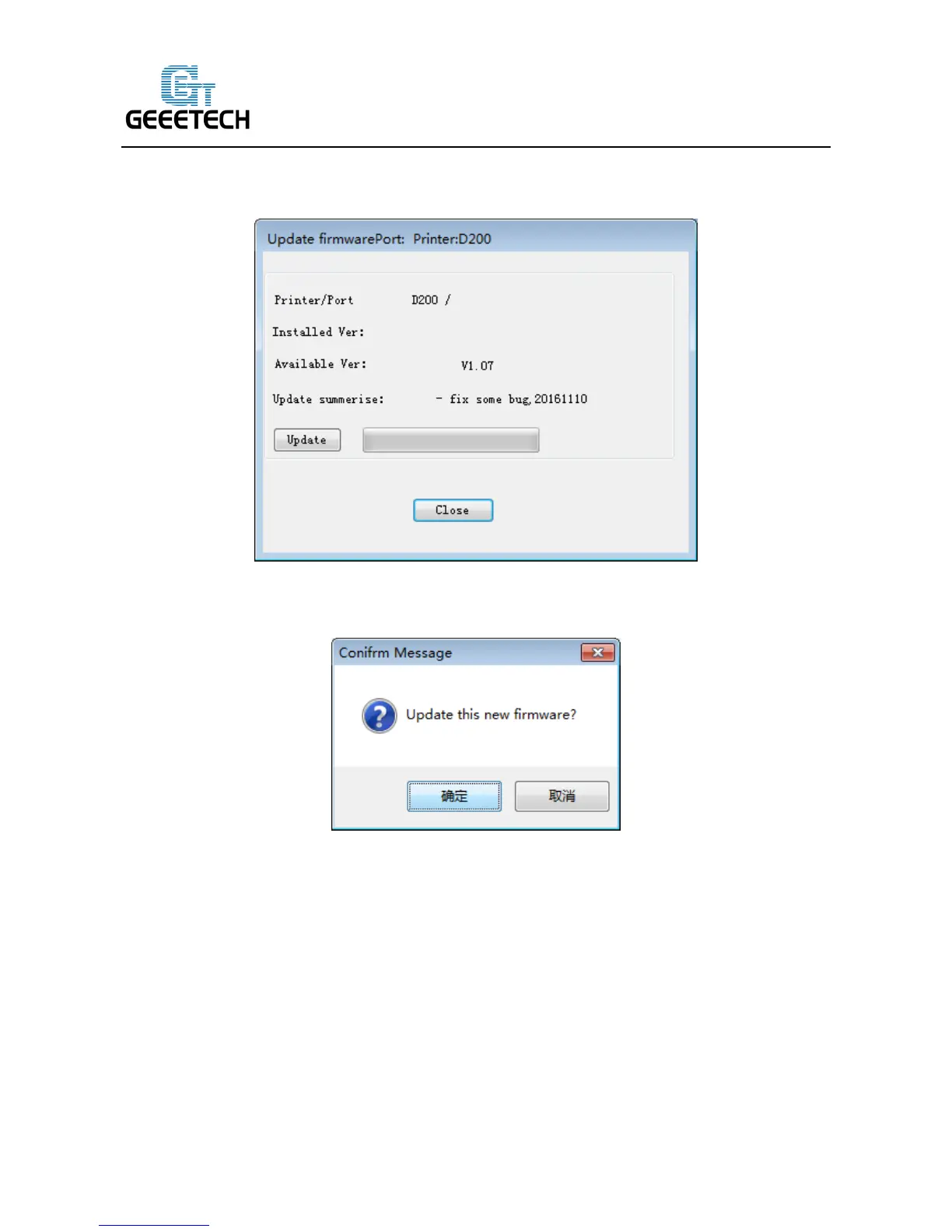
printer type and port, the current firmware version installed, the available version and the update
summary of the latest firmware. Take the printer D200 as an example:
Click update and confirm updating, the progress bar will turn green, the firmware will be
updated automatically. This process may take some time.
When the upload is complete the message ‘update sucess’ will be displayed.



 To Next Page