Connecting the RP1200 Using Bluetooth Communications
You RP1200 is Bluetooth™-enabled, which lets you connect to other Bluetooth devices, such as printers.
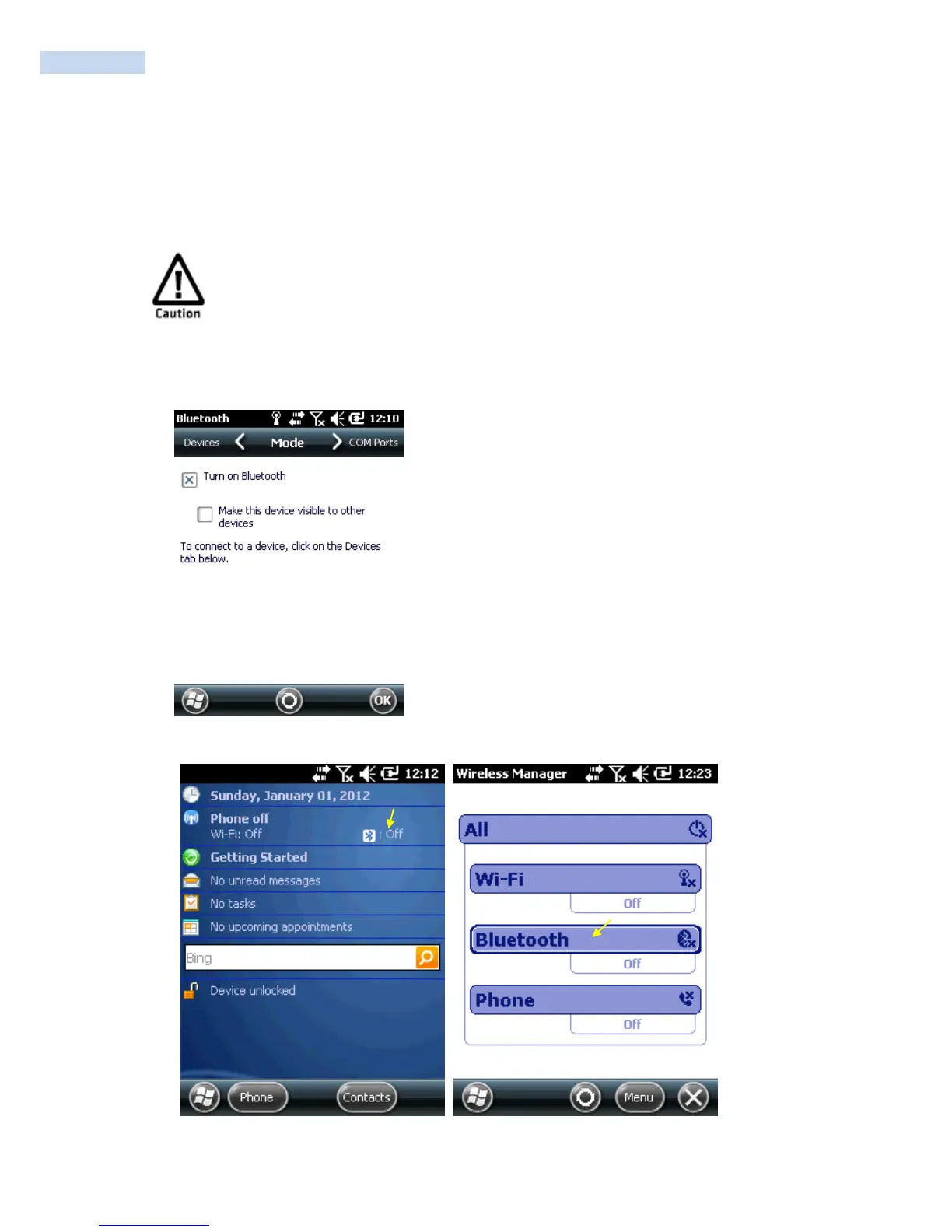
You need to turn on the Bluetooth radio before you can discover and connect to other Bluetooth devices. By
default, the radio is turned off.
Bluetooth is optional. Device without built-in Bluetooth can not use Bluetooth service.
Bluetooth support the transmission and reception of files between the serial connecting service
and Windows Mobile device.
To turn on the Bluetooth radio
1 Tap Start > Settings >Bluetooth > the Mode tab.
2 Tap the Turn on Bluetooth checkbox.
Or Tap the Bluetooth.



 To Next Page