Model 4802A
Quick-Start Guide
vii
1.5 Rear Terminal Connections
All wire connections to the Model 4802A are made to the terminal block located at the
rear of the chassis. The terminal block accepts 16 AWG to 20 AWG, stranded or solid
core wire.
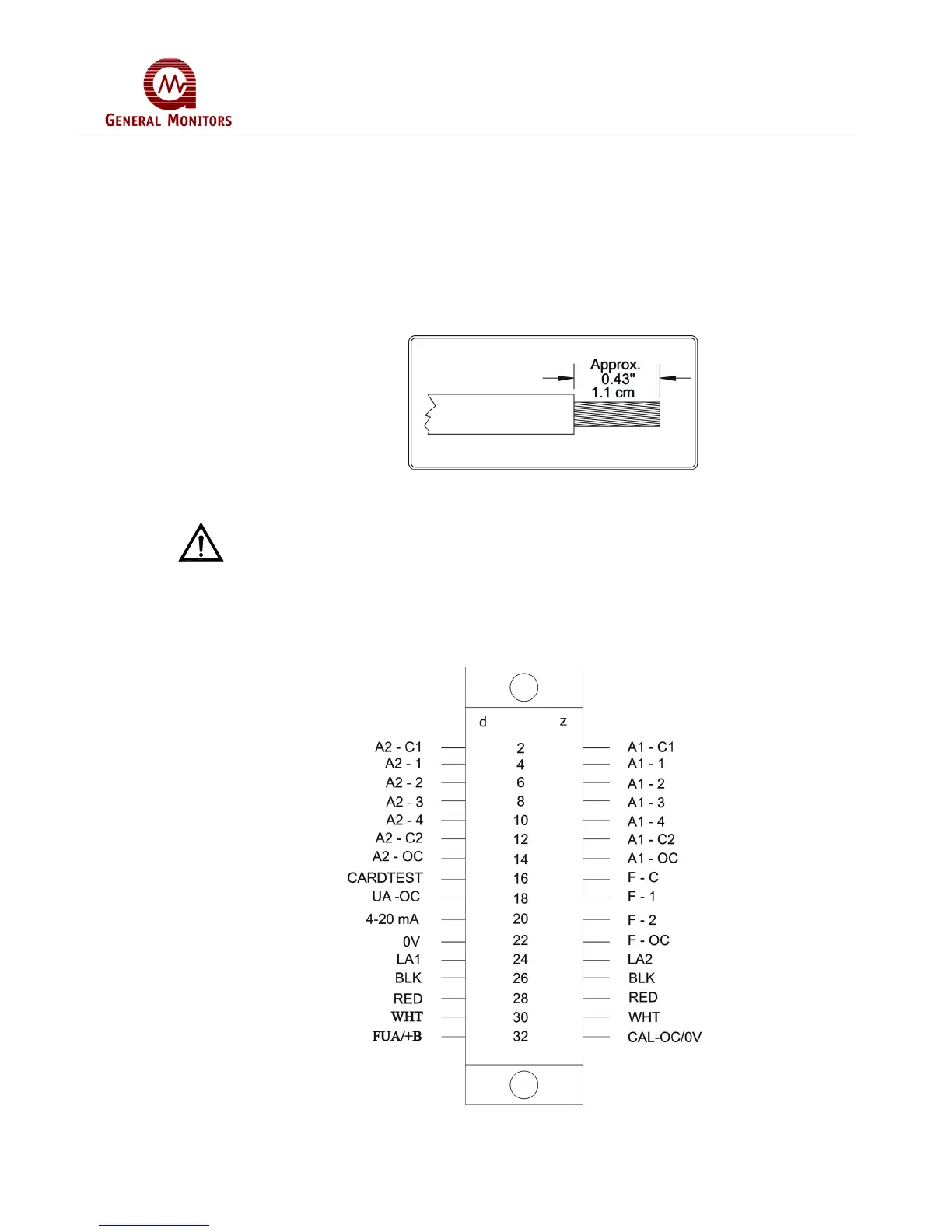
14 AWG wire may be used if it is properly stripped according to Figure 2.
Figure 2 – Wire Strip Length
CAUTION - Contact with PC Board components should be avoided in order to prevent
damage by static electricity.
To connect wires to the terminal block on the Model 4802A, loosen the desired screw,
insert the stripped end of the wire and tighten.
For the rear terminal designations refer to Figure 3 below:
Figure 3 – Rear Terminal Designations



 To Next Page